PrimeCal FAQ
Fast Answers For Real PrimeCal Questions
Use this section when you need the short answer first. The FAQ is organized around the questions real users ask after sign-up: how to plan daily life, how Focus behaves, when to use automation, how sync works, how AI agents are scoped, and what to check when something looks wrong.
Start With The Right FAQ
Daily use
Everyday Planning FAQ
Registration, calendars, groups, colors, hidden calendars, Focus behavior, workspace layout, and where the main features live.
Power features
Automation, Sync, and AI Agents FAQ
Choose the right advanced feature, connect providers safely, and understand how automations and MCP agents fit together.
Privacy
Security and Privacy FAQ
Passwords, MFA, Personal Logs, exports, deletion requests, and what privacy controls actually do.
Troubleshooting
Troubleshooting FAQ
Missing events, stale sync, quiet Focus view, automation misses, and agent-permission problems.
Access
Plans and Access FAQ
Feature availability, usage-plan questions, and what to do when another account can see more than yours.
Most Asked Questions
- I just signed up. What should I do in the first 10 minutes?
- I am planning family life. Should I create one calendar or several?
- What is the difference between a calendar group and a people group?
- Why does Focus show less than Month or Week?
- Should I solve this with Automation or with an AI agent?
- Can imported events trigger automations?
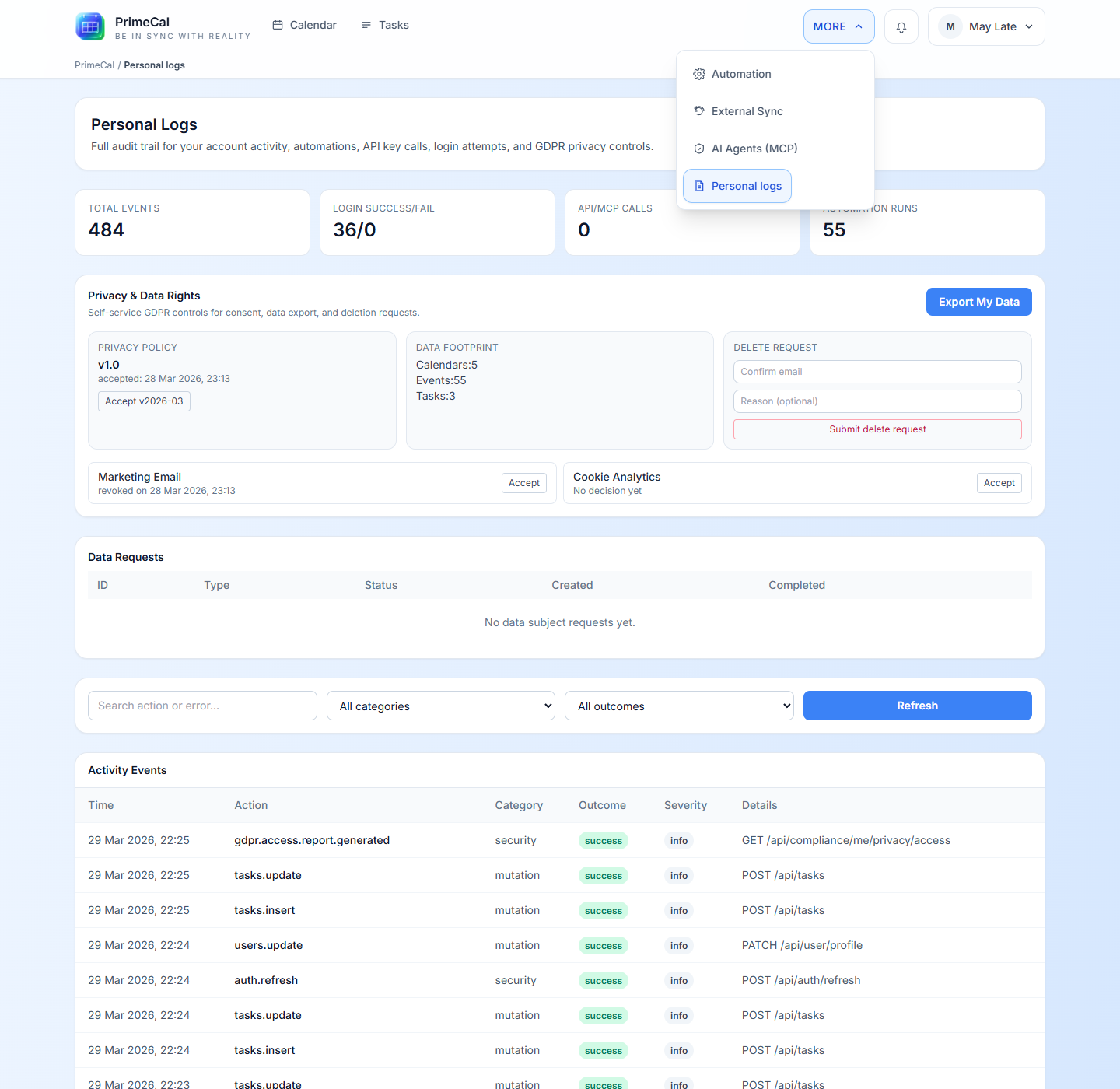
- What can I actually see in Personal Logs?
- Another user can see a feature that I cannot. Why?
- An event exists, but I cannot find it. What should I check first?
Feature Navigation
Many advanced tools live under More, so users do not need to memorize separate entry points.
Need The Full Walkthrough Instead Of The Short Answer?
- Start with Getting Started if you are still setting up your first account and calendars.
- Continue into User Documentation if you want the full step-by-step product walkthrough.
- Use Developer Documentation only when you need API contracts or implementation detail.