PrimeCal Docs
A Clear Path From First Login To Advanced Workflows
Start with registration and setup, continue into the everyday PrimeCal workspace, then move into automation, external sync, AI agents, and the full developer reference.
Start Here
Start now
Getting Started
Register, complete onboarding, create your first real calendar, organize groups, and add your first event.
Daily work
User Documentation
Profile settings, calendar views, tasks, automation, sync, AI agents, and personal logs.
Integrate
Developer Documentation
Swagger-style documentation for every non-admin backend area, grouped by the same product features users see.
Need answers fast
FAQ
Short, real-world answers for setup, views, sync, automation, AI agents, privacy, and troubleshooting.
PrimeCal Features
Planning
Calendar
Create calendars, group them, control colors and visibility, then switch between Focus, Month, and Week views.
Sharing
People Groups
Invite families, teams, and recurring collaborators once, then share calendars with the whole group.
Execution
Tasks
Capture quick tasks, manage labels, and work through a live list that stays close to your calendar routine.
Highlighted
Automation
Build rules with triggers, conditions, and actions so repetitive calendar work runs automatically.
Connections
External Sync
Connect Google or Microsoft calendars, choose what stays linked, and recover cleanly when a connection breaks.
Highlighted
AI Agents (MCP)
Connect a real standards-compliant PrimeCal MCP server: sign in and approve via OAuth 2.1 for supported AI assistants, or scope agent permissions and issue a static API key by hand. MCP is a core capability, not a feature-toggle workflow.
Privacy
Personal Logs
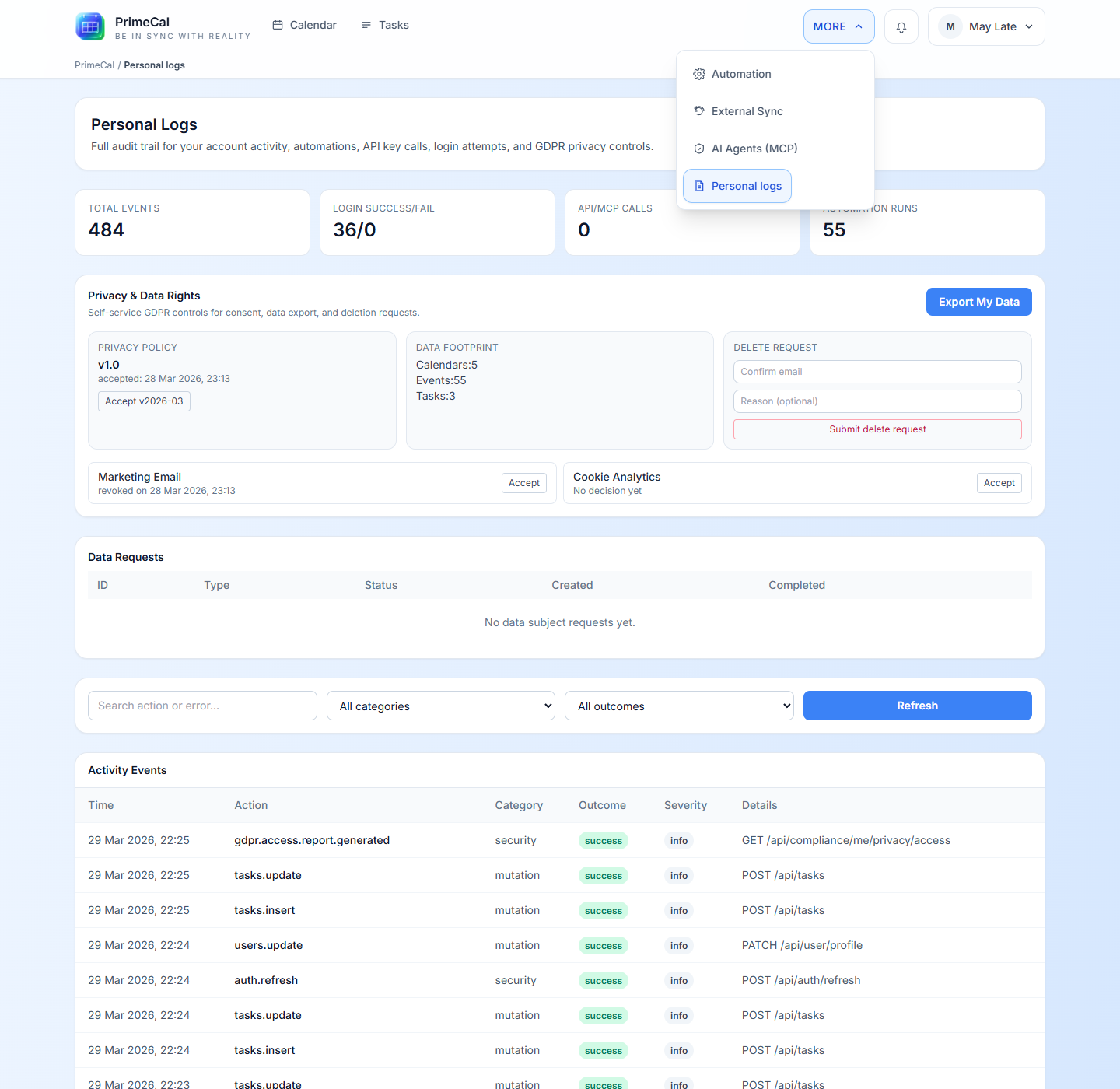
Review private activity, privacy actions, and account history from a user-owned log screen.
Recommended Journey
Register
Start with Quick Start Guide and the detailed registration walkthrough.
Set Up Your Space
Finish your profile, create real calendars, group them, and add people groups when you want to share calendars with stable collaborators.
Run Daily Work
Use calendars, events, tasks, and personal logs as the normal working surface for a real user.
Add Power Features
Move into automation, external sync, and AI agents when manual work starts repeating.
Build Integrations
Use the developer guide when you need the backend contracts, examples, restrictions, and non-admin API coverage.
Feature Navigation
Many advanced tools live under More in the app shell, so users can discover them from one place after they understand the calendar.