Calendar Workspace
The Calendar workspace is where daily planning starts. This is where you create calendars, group them, choose colors, and decide what stays visible in each view.
Where To Click
- Desktop: open
Calendar, then useNew Calendarin the header or the sidebar action. - Mobile or narrow layouts: open
Calendar, expand the drawer, then use the create action from the calendar area.
Workspace Layout And Sidebar
On larger screens, the calendar workspace can run in two horizontal modes:
Boxedkeeps the calendar centered in a fixed-width shell, which matches the current default behavior.Full widthlets the workspace use the entire content area so dense schedules, groups, and resources are easier to scan on wide monitors.
The layout toggle lives in the calendar header on desktop. It is intentionally not a mobile-first control because the visual difference is small on narrow screens.
The left sidebar also supports two desktop behaviors:
- Collapse it to a narrow icon-only strip when you want more room for the calendar grid.
- Resize the expanded sidebar within a safe range when you want more room for long calendar names or groups.
The sidebar width preference is remembered per profile, so it follows you across sessions and devices that support the desktop workspace. Mobile layouts can ignore that width when the drawer pattern is a better fit.
TODO: add screenshots for boxed layout, full-width layout, collapsed sidebar, and resize handle interactions.
Create A New Calendar
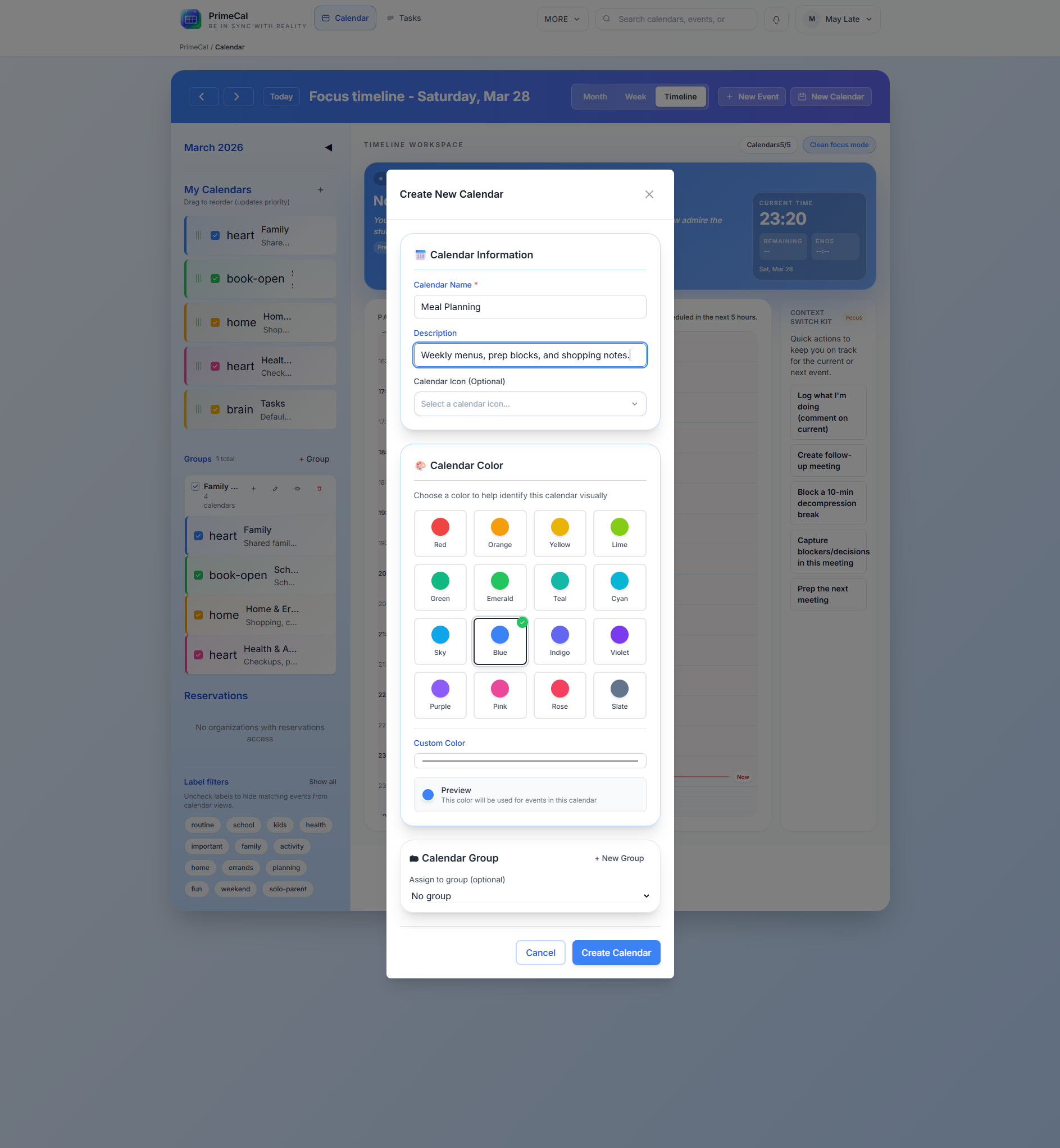
Calendar Fields
| Field | Required | Purpose | Notes |
|---|---|---|---|
| Name | Yes | Main calendar label | Use a short name such as Family, Work, or School. |
| Description | No | Extra context | Helpful when the calendar has a narrow purpose. |
| Color | Yes | Visual identity | The calendar color becomes the default event color across the views. |
| Icon | No | Sidebar cue | Optional. Useful when several calendars have similar names. |
| Group | No | Organize the sidebar | Assign the calendar to an existing group if you already have one. |
Day-To-Day Actions
- Show or hide a calendar from the sidebar.
- Rename a calendar when its purpose changes.
- Change the calendar color if it is too close to another calendar.
- Reassign the calendar to a different group.
- Delete the calendar when you no longer need it.
Groups And Visibility
Groups are explained in full on Calendar Groups, but the workspace is where you feel their effect most clearly.
- Hiding a calendar removes it from Focus, Month, and Week view.
- Hiding a whole group does the same for every calendar inside it.
- Ungrouped calendars stay visible as individual rows.
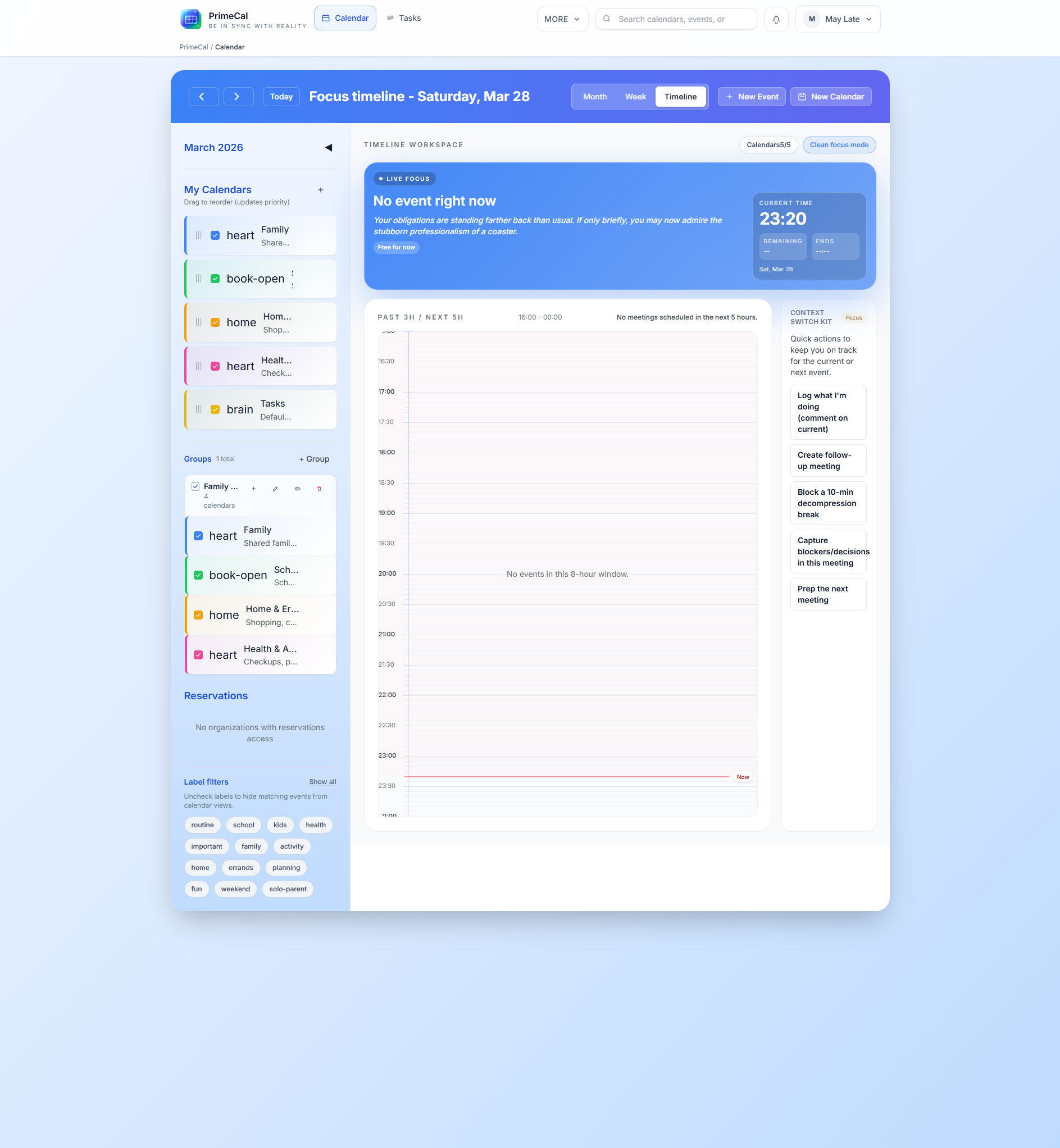
How Colors Affect The Views
- Month view uses the calendar color for compact event blocks.
- Week view uses the calendar color unless the event has its own override.
- Focus view uses the same color source when it surfaces the current and next event.
This is why consistent colors matter more than decorative variety.
Best Practices
- Keep each calendar tied to a real area of life, not a one-off project.
- Use groups for stable areas like
Family,Work, orShared. - Avoid colors that look too similar when events overlap in Week view.
- Review visibility before assuming an event is missing.
Developer Reference
For the backend calendar and group contracts, use the Calendar API.