AI Agents (MCP) Overview
PrimeCal includes a standards-compliant Model Context Protocol (MCP) server so AI tools can read and update calendars, tasks, automations, profile context, and enterprise reservation data through one integration surface.
- MCP spec: modelcontextprotocol.io/docs/getting-started/intro
- PrimeCal streamable HTTP endpoint:
POST/GET/DELETE /api/mcp
For PrimeCal Cloud, use https://api.primecal.eu/api/mcp as the remote MCP URL.
The https://app.primecal.eu host serves the frontend application shell.
The frontend host does not forward /api/* requests, so it cannot be used as the MCP origin.
What PrimeCal MCP Gives You
- Tools for:
- calendar events and people groups
- tasks, labels, and reminders
- automation rules and audit snapshots
- profile and context snapshots
- organisations, resource types, resources, availability, and reservations
- Resources for read-only context bundles:
primecal://current-contextprimecal://automation-summary
- Rich payloads so hosts get full context, not only IDs.
PrimeCal does not expose Stripe secrets, Checkout creation, or webhook handling through MCP in the current reservation pass.
Availability and Safety
PrimeCal MCP is a core capability.
- There is no feature flag to enable MCP.
- MCP is available whenever PrimeCal is running with valid MCP configuration.
- Safety is enforced through:
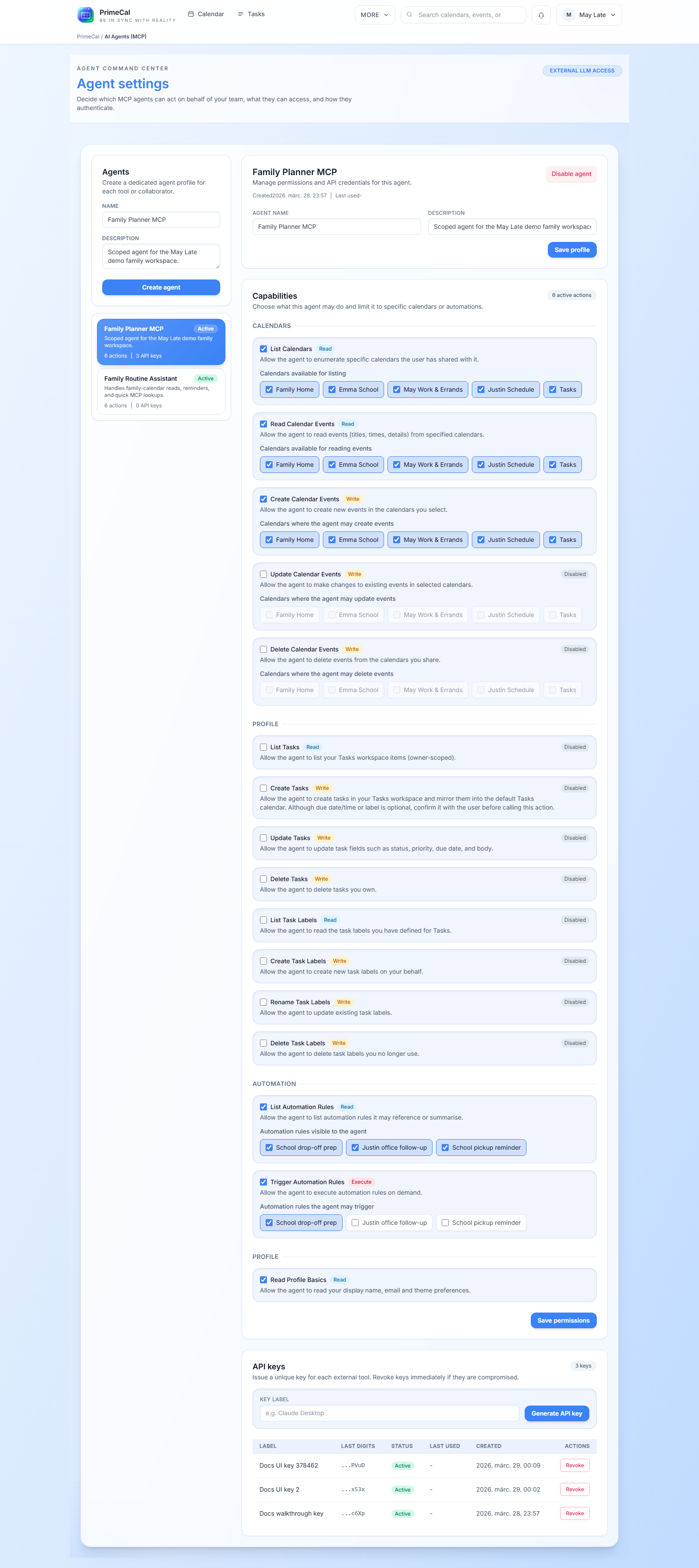
- agent profiles
- scoped permissions
- agent API keys
- organisation and resource-type scopes for reservation tools
Enterprise Reservation Support
Reservation-aware MCP agents can:
- list the organisations they can access
- switch the active organisation safely
- list resource types and concrete resources
- calculate availability with reservation and blocking-calendar logic
- create non-payment reservation flows where the configured permissions allow it
PrimeCal keeps the payment boundary separate. If a reservation requires Stripe payment, MCP does not create or complete that payment flow for the agent.
Example User: Alex Example
The guides in this section use a fictional example user, Alex Example, with three
calendars (Work, Personal, Side projects), a few tasks and one automation rule.
Your own account shows your own data; the steps are identical.
See Connecting via OAuth for the sign-in-and-approve flow supported by OAuth-aware MCP hosts, or Configuring an Agent in PrimeCal and Connecting MCP Hosts for the static agent-API-key flow. See also Enterprise Reservation Tools For MCP for the full flow.
Real UI Reference
Building an AI-first calendar workflow? See PrimeCal for AI developers for the broader pitch and pricing.