Household Inventory
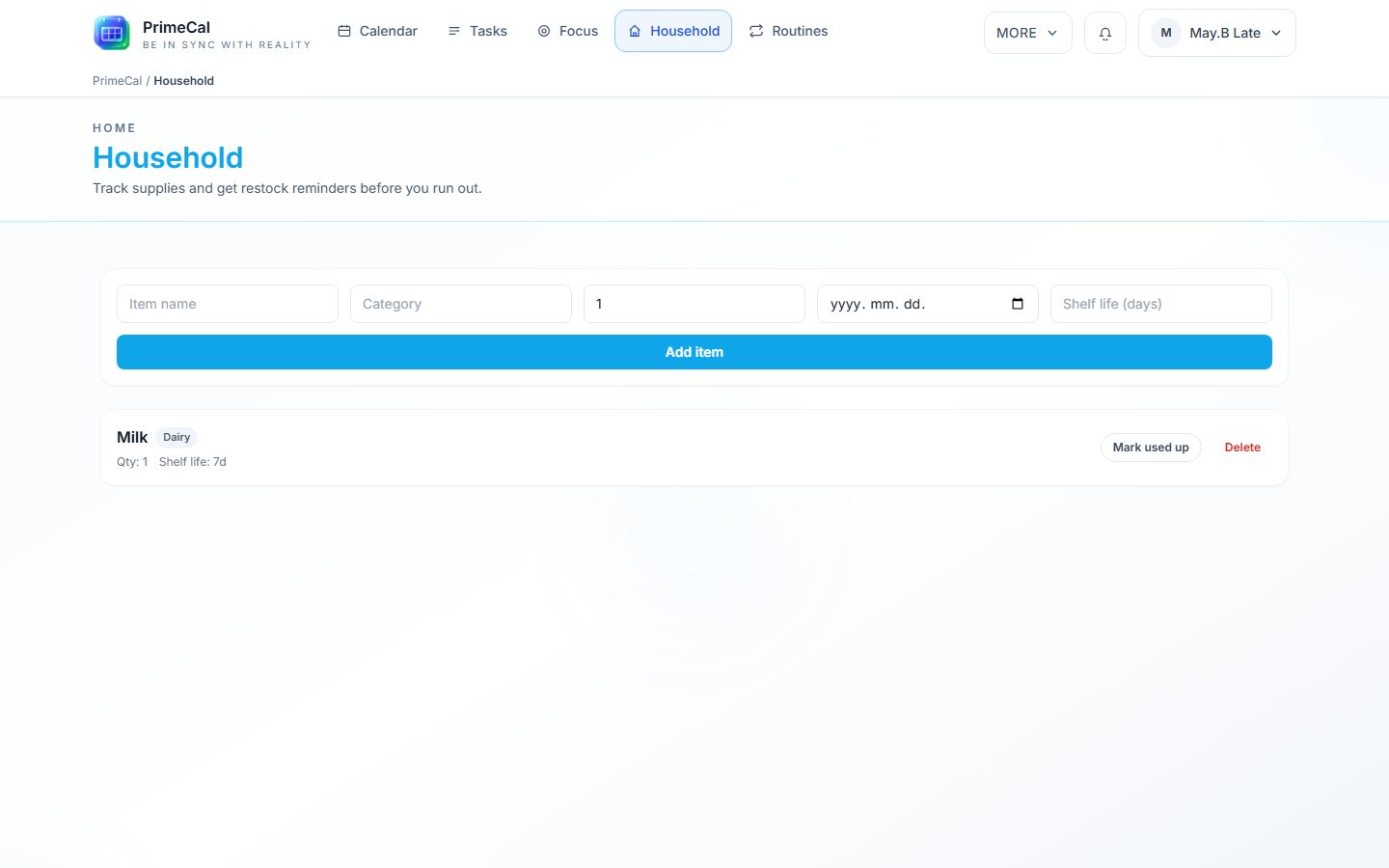
Household is the sibling view next to Tasks, Focus, and Routines in the workspace navigation bar. It's a shared list of the things your household keeps stocked — groceries, supplies, anything with a "we're about to run out" moment — so restocking becomes a task instead of a surprise.
How To Open It
- Open the main workspace.
- Select
Household.
What An Item Tracks
Each household item can have:
- A name and optional category (e.g. "Dairy").
- A quantity.
- An optional expiry date, for items with a hard "use by."
- An optional shelf-life in days, for items you restock on a rough cycle rather than a printed expiry date, measured from when it was last restocked.
- An optional low-stock threshold, for items you track by count rather than freshness (paper towels, batteries, light bulbs) — PrimeCal flags the item once quantity drops to or below this number.
- A shared people group, so the whole household sees and manages the same list instead of everyone keeping a private one.
Example: The Lates keep "Milk" in their shared inventory — category Dairy, a 7-day shelf life, and last restocked 4 days ago. With 3 days of shelf life left, Milk is heading into the window where PrimeCal will flag it for restocking. Separately, they track "Paper towels" by count: quantity 6, low-stock threshold 2 — no expiry date needed at all.
Automatic Restock Tasks
PrimeCal scans household items on an hourly basis and creates a restock task automatically when an item is:
- marked used up, or
- within 3 days of its expiry date, or
- within 3 days of exhausting its shelf life (last restocked date + shelf-life days), or
- at or below its low-stock threshold (quantity-based items).
The created task is titled Restock: <item name> and appears in your normal Tasks board like any other task. Once a restock task exists for an item, PrimeCal won't create a duplicate — it waits until that task is resolved before scanning the item again.
Marking An Item Used Up Or Consuming Some Of It
For an item you finish in one go, mark it used up. For an item you use a bit at a time — paper towels, batteries — use the -1 (consume) button instead so the quantity stays accurate as you go.
- Open Household.
- Find the item.
- Select Mark used up (all gone) or -1 (used one unit).
Marking used up, or consuming down to zero, raises the restock task immediately instead of waiting for the next hourly scan.
Good Household Habits
- Set a shelf-life in days for anything you restock on a rhythm (milk, coffee, filters) rather than tracking an exact expiry date.
- Set a low-stock threshold for anything you track by count (paper towels, batteries, light bulbs) and use -1 as you go, instead of only ever marking the whole item used up at once.
- Use a shared people group for anything the whole household draws from, so restocking isn't left to just one person to notice.
- Mark items used up (or consume them down) as soon as you finish them — it's the fastest way to get an accurate restock task instead of waiting on the hourly scan.
See Also
- Tasks Workspace — where restock tasks show up once created
- Routines and Templates — recurring chore checklists, a different kind of shared household automation
- Household Items API — full endpoint reference