Tasks Workspace
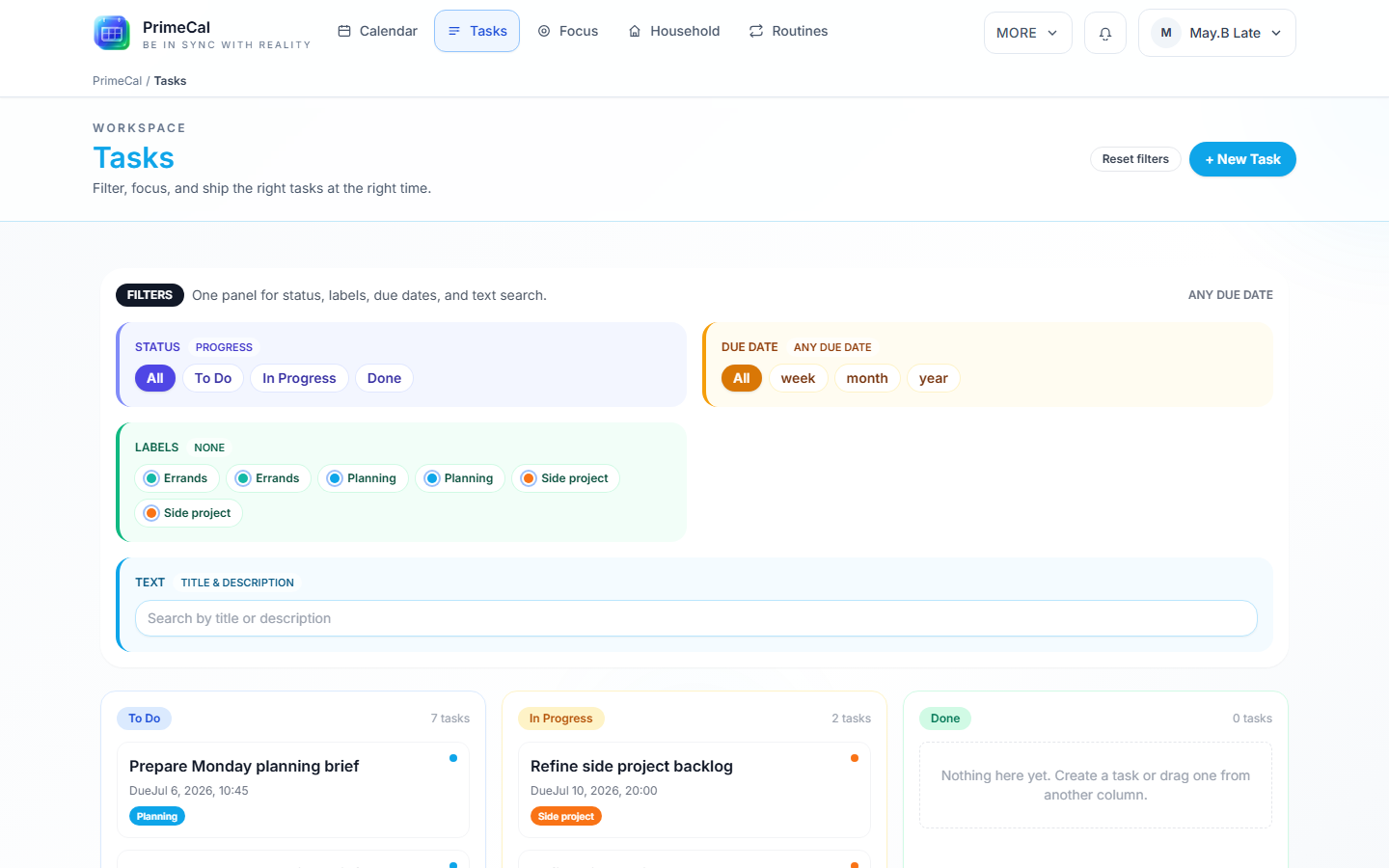
PrimeCal keeps tasks close to the calendar so you can move between time-based planning and actionable work without switching products. Tasks is a single unified hub with three internal tabs — Board, Focus, and Routines — so everything about "what do I need to do" lives in one place instead of being spread across separate navigation tabs. Household remains a separate sibling view in the main navigation, for shared inventory rather than individual work.
How To Open It
- Open the main workspace.
- Select
Tasks. - Use the Board / Focus / Routines tab bar at the top of the page to switch between your task board, today's priorities, and your routine templates.
What The Tasks Hub Includes
| Tab | What it is for |
|---|---|
| Board | The main Kanban board for active work — create, filter, and drag tasks between Todo/In Progress/Done |
| Focus | Today's routine and due tasks, in schedule order, plus optional Focus Sessions — see Focus and Scheduling |
| Routines | Build or clone recurring chore templates and start them on demand — see Routines and Templates |
Household inventory is a separate top-level view (not part of the Tasks hub) — see Household Inventory.
Board: Filters And Quick Create
The Board tab's filter row stays deliberately slim by default: a search box, quick status chips (Todo / In Progress / Done), and a single Due chip. Click More filters to open a popover with the full due-date range picker (this week/month/year, or a custom date) and label filtering — everything the quick row doesn't show is still one click away, it just isn't cluttering the page by default.
Use + New Task or the quick-create drawer (on mobile) to capture something fast before you forget it — grocery follow-ups, school paperwork, appointments to schedule, packing or travel prep.
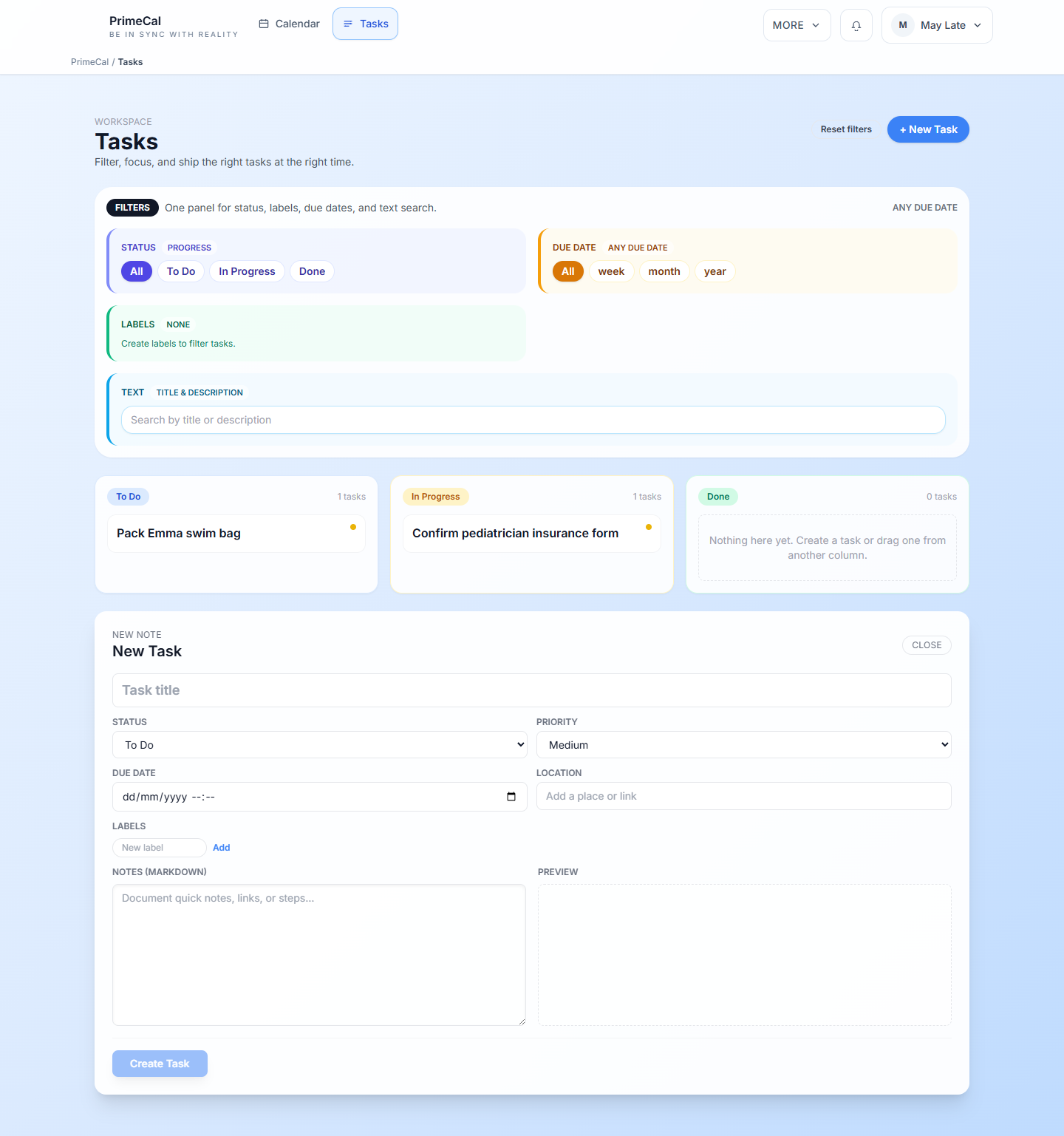
The detail composer (opened when you create or edit a task) is grouped into collapsible sections — Essentials (title, status, priority, due date) is always open; Details (place, assignee, context, labels), Scheduling (duration, auto-schedule), and Checklist & notes collapse by default so you aren't scrolling past fields you rarely touch. In Simplified mode (see below) these extra sections start collapsed; in Standard mode, Details and Checklist & notes start open.
Task Checklists
A task dependency links two separate tasks ("Cook dinner" depends on "Defrost chicken"). A checklist is different: it's a set of sub-steps inside one task, for something with several parts that don't need their own due dates or assignees.
Example: May creates one task, "Plan Emma's birthday party," with a checklist: "book venue," "order cake," "send invites." She checks each one off as it's done, and the task card shows progress ("2/3 done") without cluttering the board with three separate one-off tasks.
To use it:
- Open a task (it must already be saved — checklists aren't available while composing a brand-new, unsaved task).
- Open the Checklist & notes section in the detail composer.
- Type a step and click Add, or press Enter.
- Check items off as you complete them, or Remove ones you no longer need.
Checklists are per-task and don't affect Focus, dependencies, or automation — they're purely a way to track sub-steps without spawning more tasks.
Choosing Your Tasks Experience
The Task experience toggle has been replaced by Experience Modes. Task density is no longer a separate setting — it follows whichever Experience Mode you're in:
- Production mode — the default. Full task board with all filter chips, Focus shows the complete list plus the Focus Sessions timer, and the composer's Details/Checklist sections start expanded.
- Focus mode — fewer choices on screen at once: Board's status chips collapse to just Todo/Done, Focus shows one task at a time with a single big Done button and no timer, and the composer's extra sections start collapsed.
Focus mode is aimed at anyone who wants less on-screen noise and fewer simultaneous decisions — useful whether that's because you're managing ADHD, supporting an autistic child's task list, or you simply prefer a quieter interface. It doesn't hide or remove any capability — it only changes what's visible by default. See Focus Mode for the full picture, and Focus and Scheduling for exactly how it changes the Focus tab.
Good Task Habits
- Use labels for areas such as
School,Home, orErrands. - Keep titles short and action-oriented.
- Add due dates only when timing truly matters.
- Use the default Tasks calendar for task-related planning instead of mixing these items into normal event calendars.
Developer Reference
For task contracts and label routes, use the Tasks API.