Plans And Access FAQ
This page answers the access questions that feel like billing questions to users, but in PrimeCal are often really plan, permission, or workspace-configuration questions.
Another user can see a feature that I cannot. Why?
Short answer: the difference is usually access, not a bug.
PrimeCal can expose features differently depending on:
- your usage plan
- your role or workspace access
- whether a feature is enabled in the current environment
- whether the feature belongs to organization or reservation workflows instead of personal planning
If one user sees a feature and another does not, compare the account context first before assuming the UI is broken.
What are usage plans in PrimeCal?
Short answer: usage plans control which feature areas are available to your account.
Most everyday user features, such as calendars, events, tasks, automation, sync, agents, and personal logs, are documented in the main user guide. Some broader capabilities, especially around organizations and reservations, can require higher access.
Can I change my own plan or unlock a feature myself?
Short answer: usually no.
PrimeCal is built so access changes are typically managed by an admin, workspace owner, or account owner. If a feature is missing, the safest path is to ask the person who manages your environment instead of trying to work around it.
Why can I use normal calendars but not organization or reservation features?
Short answer: those features can require additional access beyond a normal personal account.
This is expected when PrimeCal is being used for both personal planning and larger operational workflows. Your personal calendars can still work normally even if organization-level tools are not available to your account.
What should I re-check after my access changes?
After a plan or permission change, re-check:
- whether the feature now appears in the main navigation or under
More - whether a page loads but some actions are still unavailable
- whether related calendars, groups, or organization contexts are now visible
- whether your agent, sync, or automation setup still matches the permissions you now have
Where do I see the account settings I can control myself?
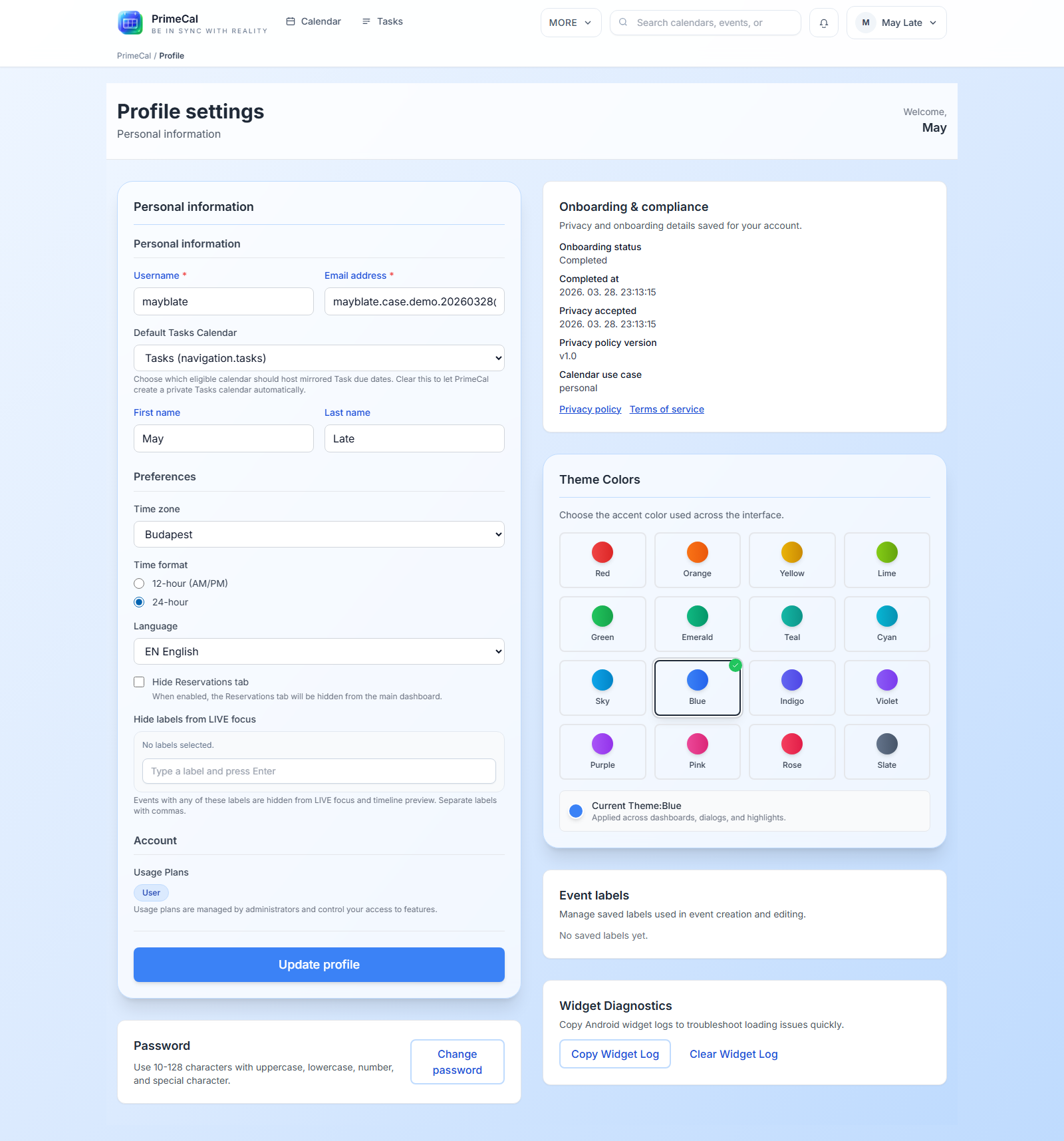
Use Profile Page for the settings that belong to you directly, such as identity, language, timezone, appearance, Focus filters, and password-related changes.
I expected a billing page. Why is this FAQ about access instead?
Short answer: because the most common real user problem is feature access, not payment entry.
In many PrimeCal setups, the person using the calendar is not the person managing the account plan. That makes a Plans and Access explanation more useful than a generic billing article.
Where should I go for the next step?
- If you are still setting up the product, use Getting Started.
- If you need to learn the visible features you already have, use User Documentation.
- If you are connecting PrimeCal to other apps via the API or MCP, see Developer Documentation.