What Is PrimeCal?
PrimeCal is a modern, full-featured calendar application built for individuals, families, and teams who want more than what a basic calendar offers. You get multiple calendars, powerful sharing, three distinct views, automation, and optional sync with Google Calendar and Outlook — all in one place, on any device.
PrimeCal is a hosted cloud service — there's no server to run or maintain. Create a free account at app.primecal.eu and you're in.
The Problem PrimeCal Solves
Most people end up with calendar chaos: a personal calendar here, a shared family calendar there, a work calendar somewhere else — each in a different app that doesn't talk to the others. You're constantly context-switching, forgetting what's on whose calendar, and manually re-entering events that already exist somewhere else.
PrimeCal brings everything together. You create as many calendars as you need (personal, work, family, projects), share them with exactly the right people at exactly the right permission level, and see it all in one unified view. When your existing Google or Outlook calendar has events you can't live without, PrimeCal syncs them in automatically.
Who It's For
Families — PrimeCal shines as a family hub. One parent creates a shared "Family" calendar and gives everyone access. The kids can see the family schedule. The parents can add and edit events. Everyone stays on the same page without a group text chain.
For example, Alex Example uses PrimeCal as the family organizer for the Example household. She manages the "Example Family" shared calendar along with her own personal calendar. Her husband Jordan has write access to the family calendar so he can add his own commitments. Their kids — Robin and Milo — have read access so they can see what's planned without accidentally changing anything.
Individuals — If you just want a clean, capable personal calendar that works great on your phone and browser, PrimeCal handles that too. Pick a color theme, choose your timezone, and go.
Teams and small businesses — PrimeCal supports user groups, calendar sharing with role-based permissions, automation rules that trigger on calendar events, and an API for integration with your tools.
Developers — PrimeCal has an API, an MCP server for AI agents, and an automation webhook system, so you can trigger PrimeCal rules from any external service and build integrations against a real backend.
What PrimeCal Can Do
Multiple Calendars, One View
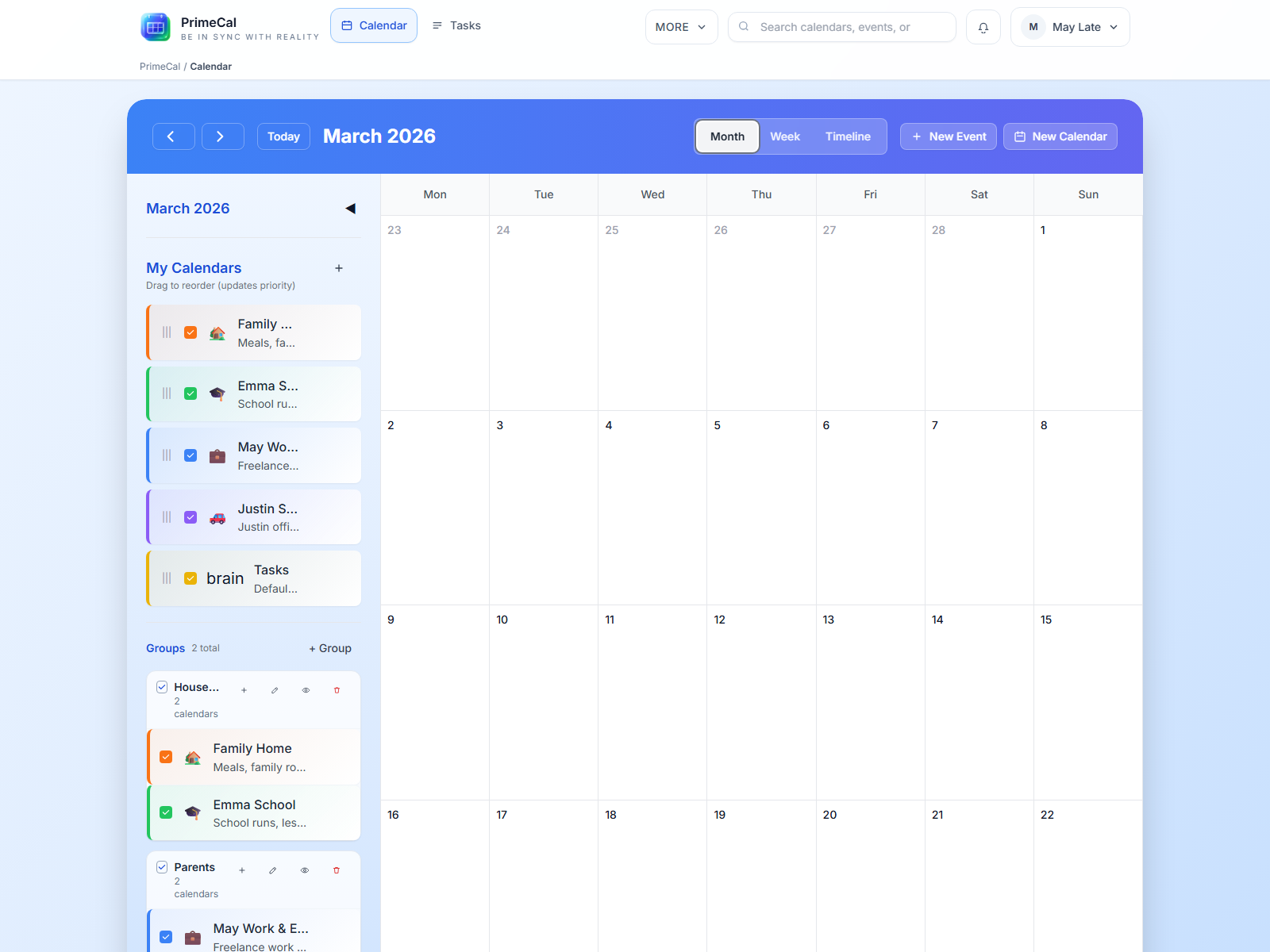
You're not limited to a single calendar. Create as many as you want — "Work", "Personal", "School", "Fitness", "Home Renovation" — and color-code each one with any of 16 colors. They all show up together in your calendar views, color-coded so you can tell at a glance which calendar an event belongs to.
Three Views for Different Needs
- Month view — The classic calendar grid. See the whole month at once. Great for planning ahead and spotting conflicts.
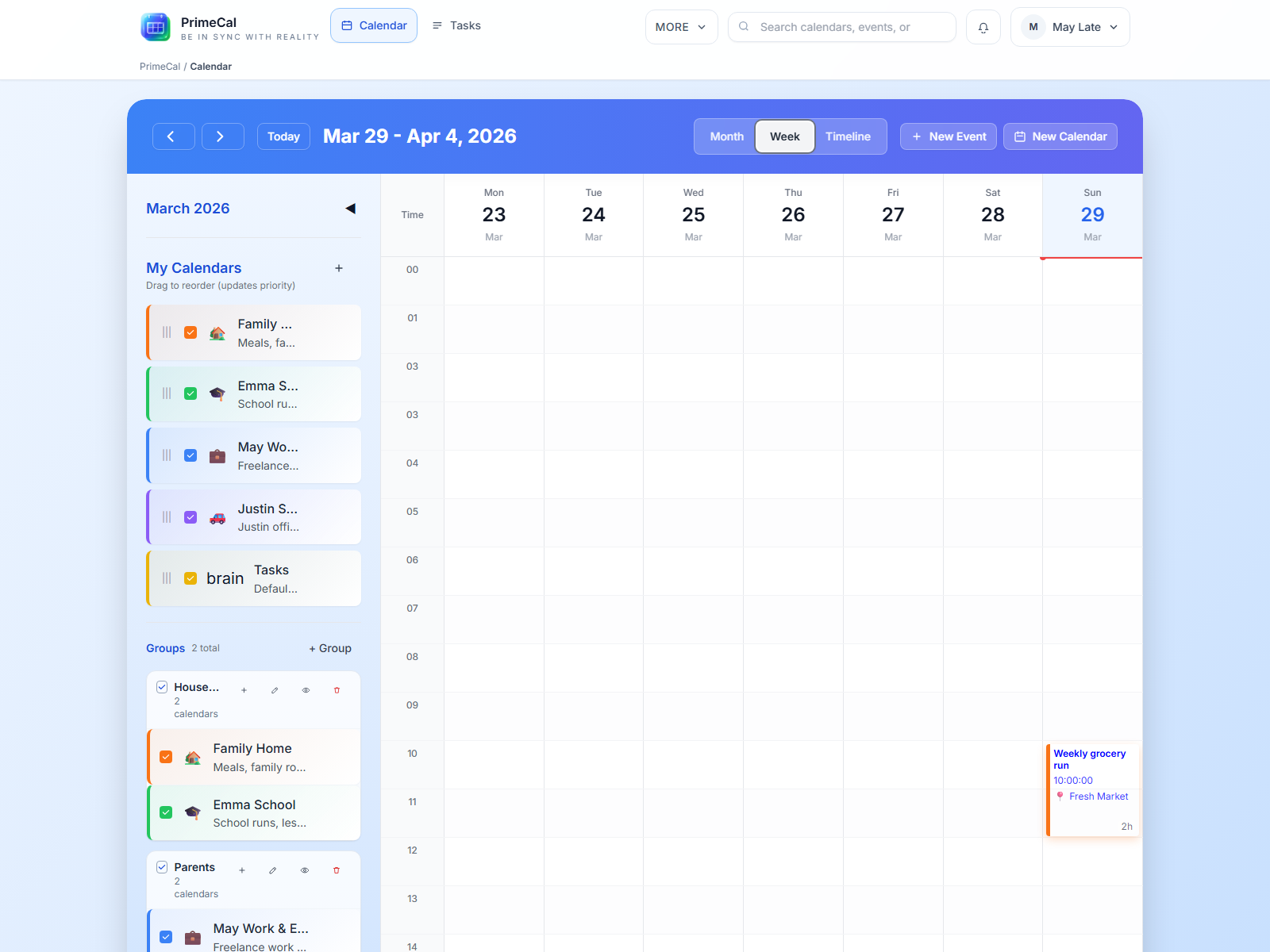
- Week view — Hour-by-hour time slots for the full week. Drag across time slots to create events instantly. Jordan Example uses this to see his daily standup, deep work blocks, and inbox wrap-up all laid out clearly each week.
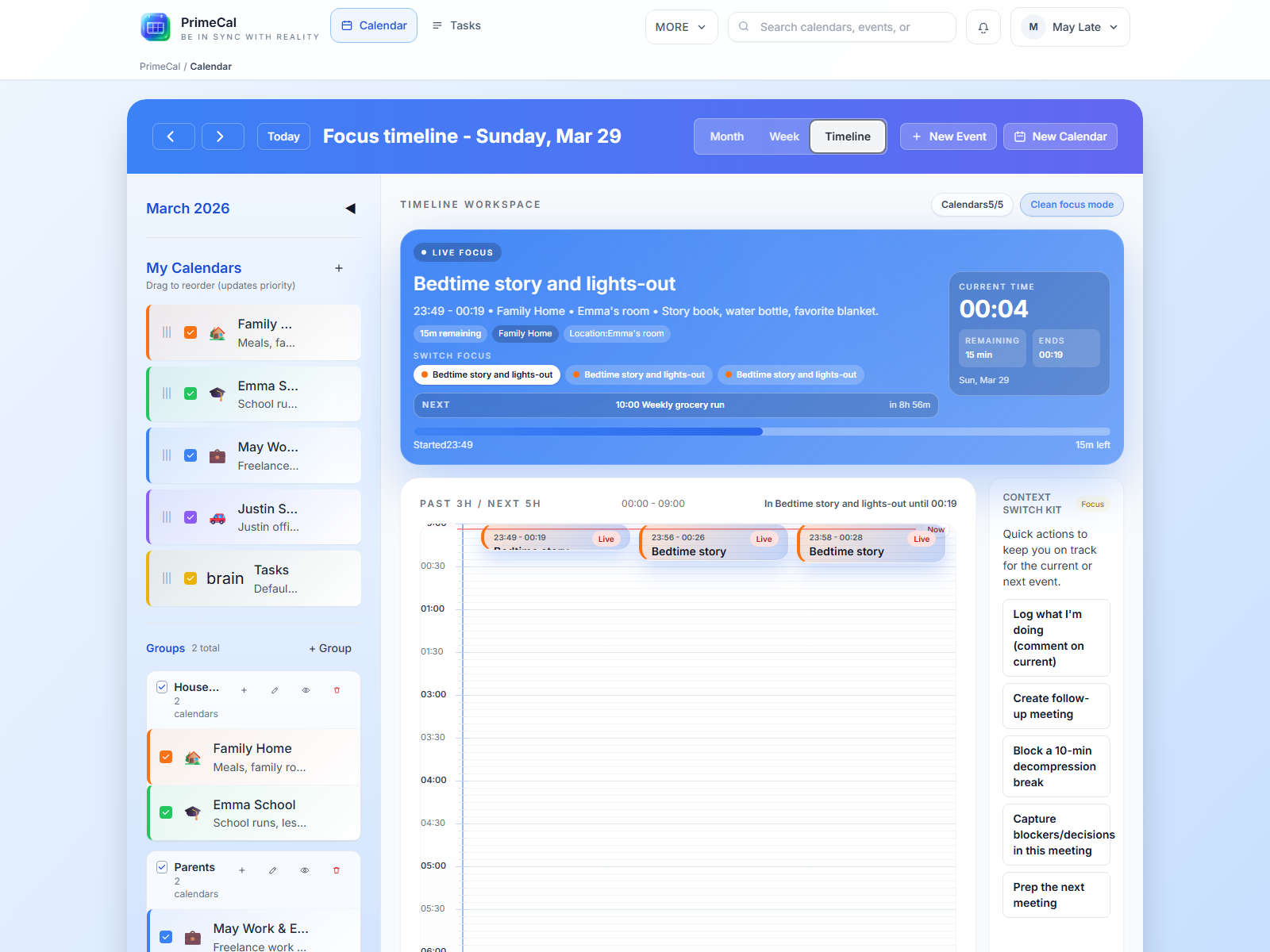
- Focus view — A live timeline that highlights what's happening right now and what's coming next. Perfect for glancing at your phone to see "what do I have in the next two hours?"
Sharing with the Right Permissions
Share any calendar with anyone who has a PrimeCal account. You control whether they can just view events (read), add and edit events (write), or also share the calendar further (admin). The Example Family calendar, for example, is set up so Alex and Jordan can both add events, while Robin and Milo can only view.
External Calendar Sync
Already have events in Google Calendar or Microsoft Outlook? Connect your external accounts and PrimeCal pulls those events in automatically. Jordan Example's work meetings from Outlook appear alongside his personal PrimeCal events without him having to enter them twice.
Automation Rules
This is where PrimeCal goes beyond a basic calendar. You can create rules like "when a new event is created on my Work calendar that contains 'standup' in the title, automatically color it blue." Rules can trigger on event creation, updates, deletions, or on a schedule. You can even connect external services via webhooks to trigger PrimeCal automations.
Mobile App
PrimeCal works beautifully on phones. The web app is mobile-optimized with touch-friendly controls, swipe navigation, and a bottom tab bar. There's also a native app wrapper for iOS and Android (the same web app packaged with Capacitor) available from the app stores.
How PrimeCal Differs from a Basic Calendar
| Feature | Basic calendar app | PrimeCal |
|---|---|---|
| Multiple calendars | Usually yes | Yes, unlimited |
| Calendar sharing | Limited | Read / write / admin permissions |
| Automation rules | No | Yes, with 12 trigger types |
| External sync | Limited | Google Calendar + Outlook |
| Timezone support | Basic | 70+ world timezones |
| Multiple languages | Rarely | EN, HU, DE, FR |
| AI agent support (MCP) | Rarely | Yes, standards-compliant MCP server |
| API access | No | Yes (paid plans) |
| Mobile app | Web only or separate app | Unified web + native app |
Ready to Get Started?
The fastest path is to create a free account at app.primecal.eu — no installation required, and the free plan covers everything most individuals need.
Create your free account at app.primecal.eu and follow the Getting Started guide to set up your profile and first calendar.
Once you're in, check out Exploring the Interface for a guided tour of where everything lives.