Initial Setup
PrimeCal is usable immediately after onboarding, but the best first action is to create a normal calendar and organize the sidebar for the way you actually work.
Create A New Calendar
Where To Click
- Open
Calendar. - In the calendar sidebar, click
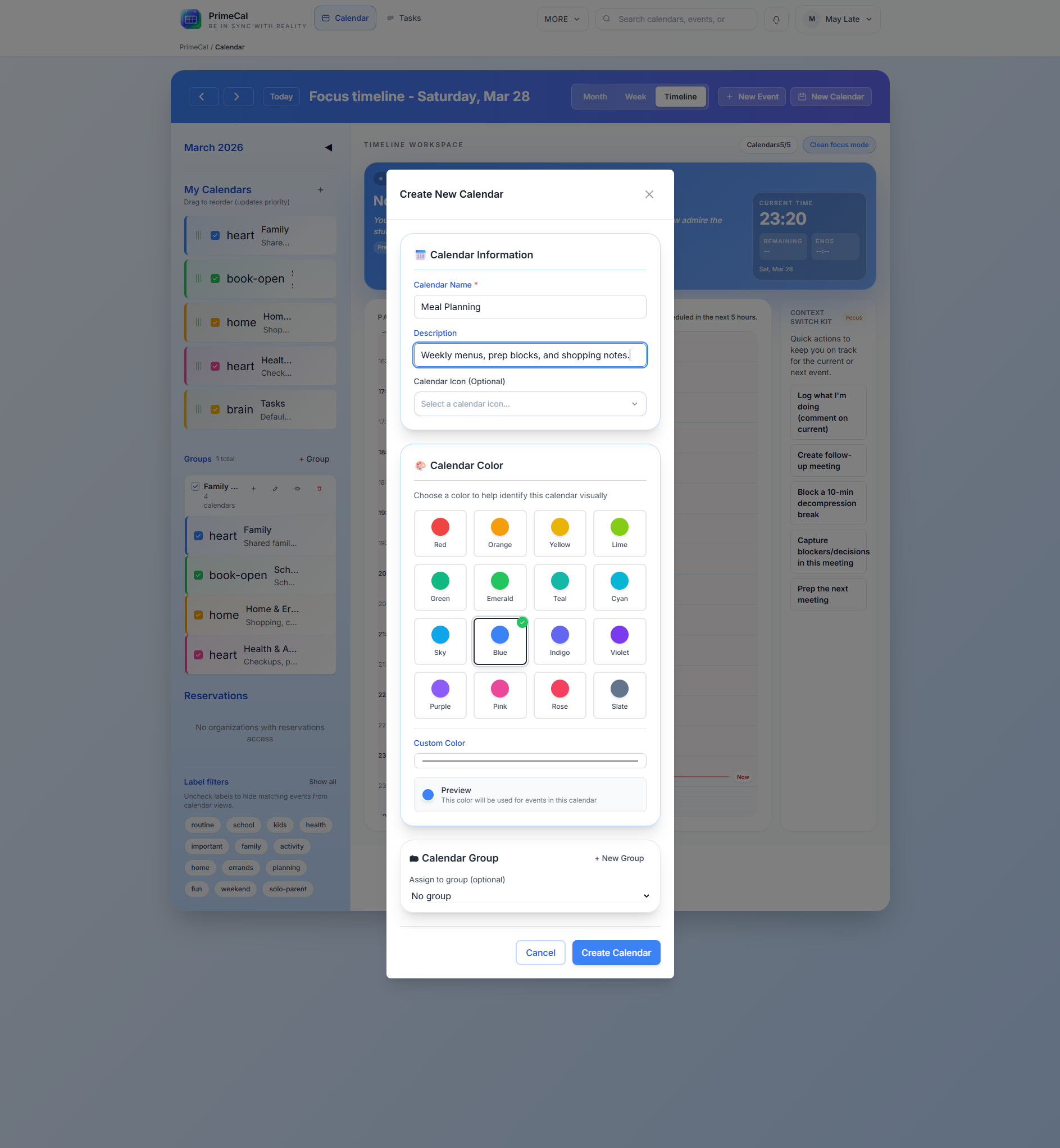
New Calendar. - Fill the dialog.
- Save the calendar.
Calendar Fields
| Field | Required | What it does | Rules and constraints |
|---|---|---|---|
| Name | Yes | Main calendar name | Keep it short and clear. This is what you will see in the sidebar and event forms. |
| Description | No | Extra context | Optional helper text for the calendar. |
| Color | Yes | Visual identity | Use a distinct color because this color drives event rendering in the views unless an event overrides it. |
| Icon | No | Sidebar cue | Optional visual marker for the sidebar and related event surfaces. |
| Group | No | Organize calendars together | Assign the calendar to an existing group or leave it ungrouped. |
Good First Calendars
FamilyPersonalWorkSchool
Calendar Groups
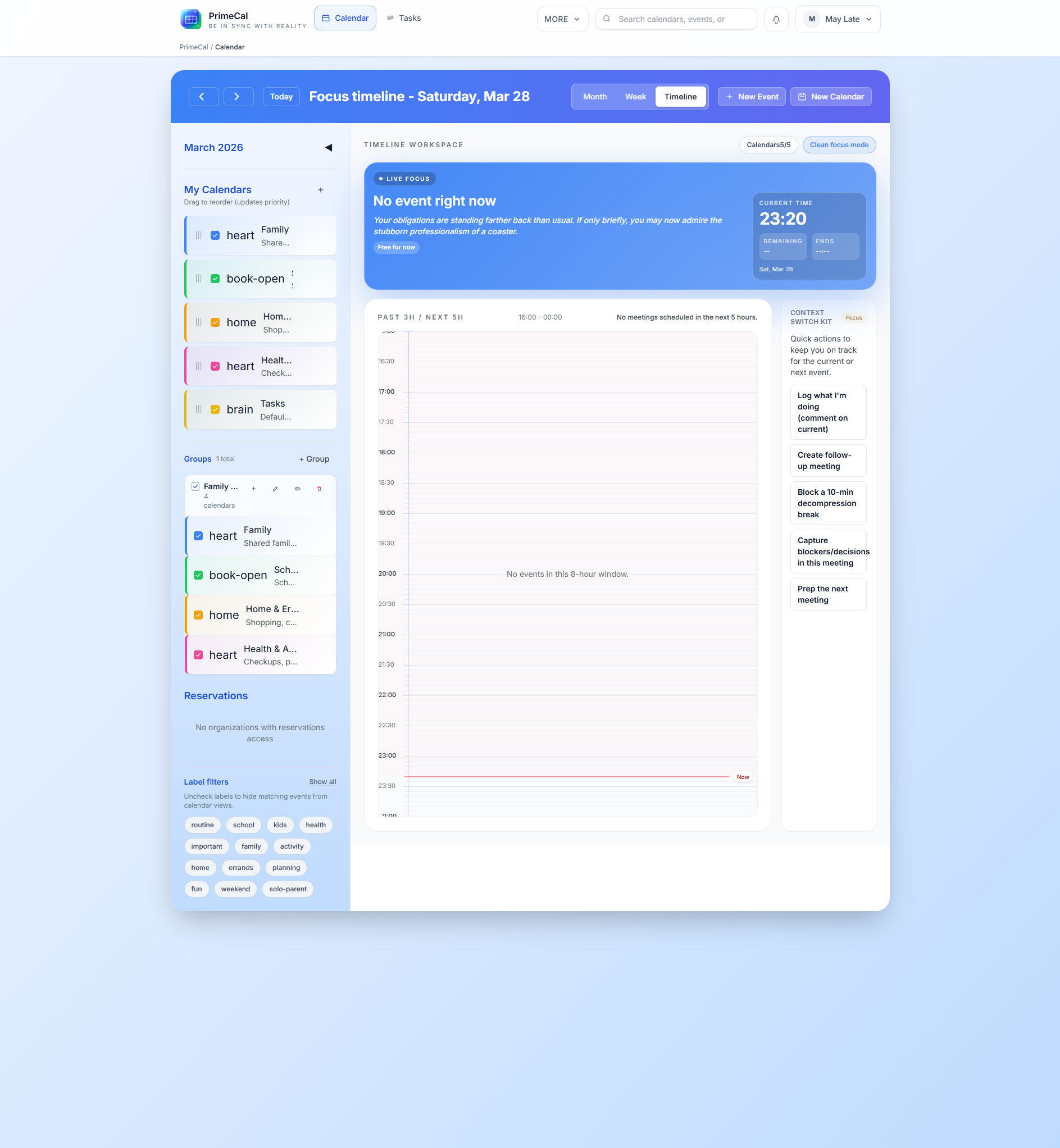
Groups help when you have multiple calendars in the sidebar. They do not replace calendars. They simply organize them.
Create A Group
You can create a group from the calendar area when you need one.
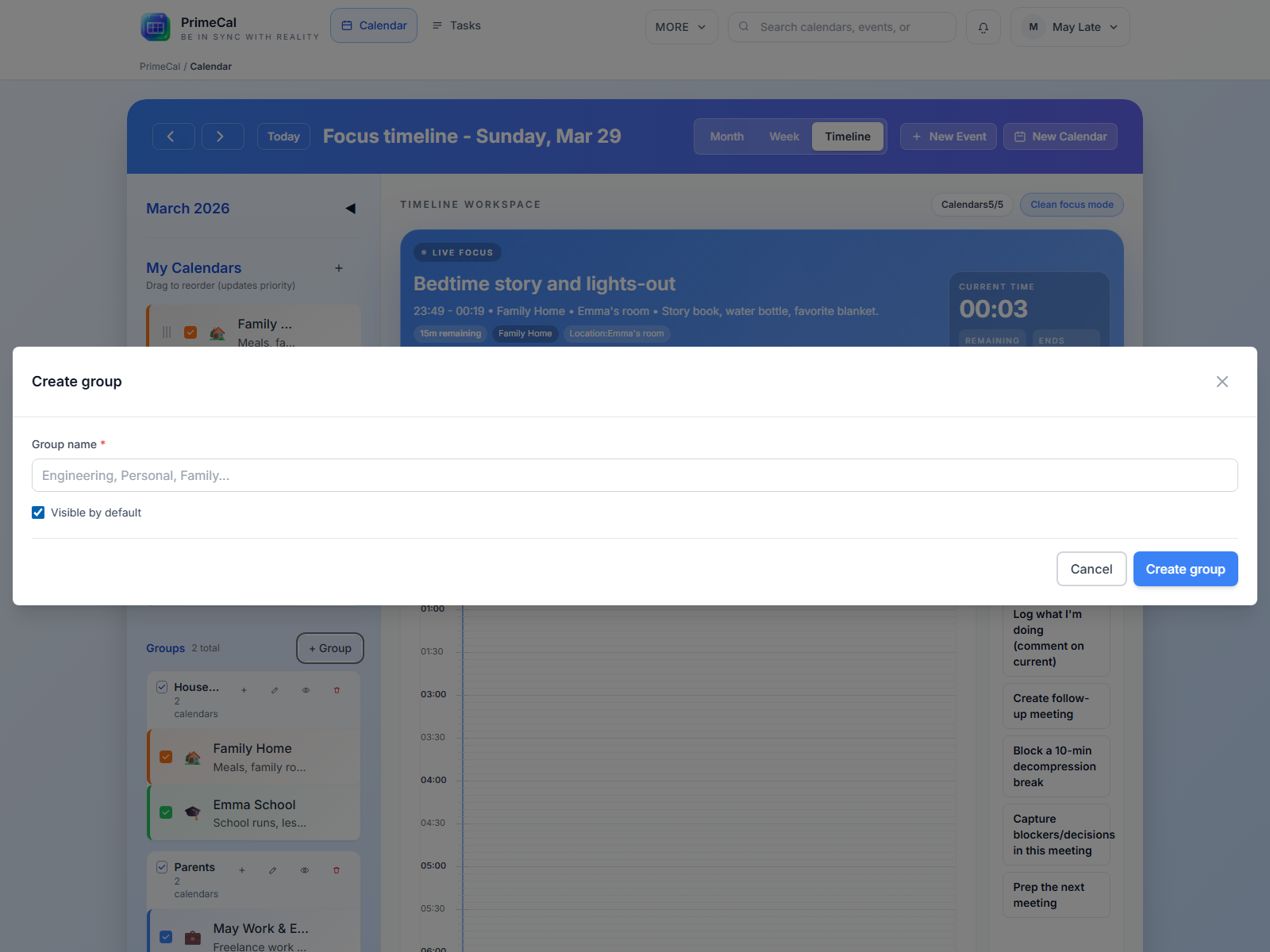
- Click the group creation action in the sidebar or the inline group option from the calendar dialog.
- Enter a clear name such as
Family,Work, orShared. - Save the group.
Rename A Group
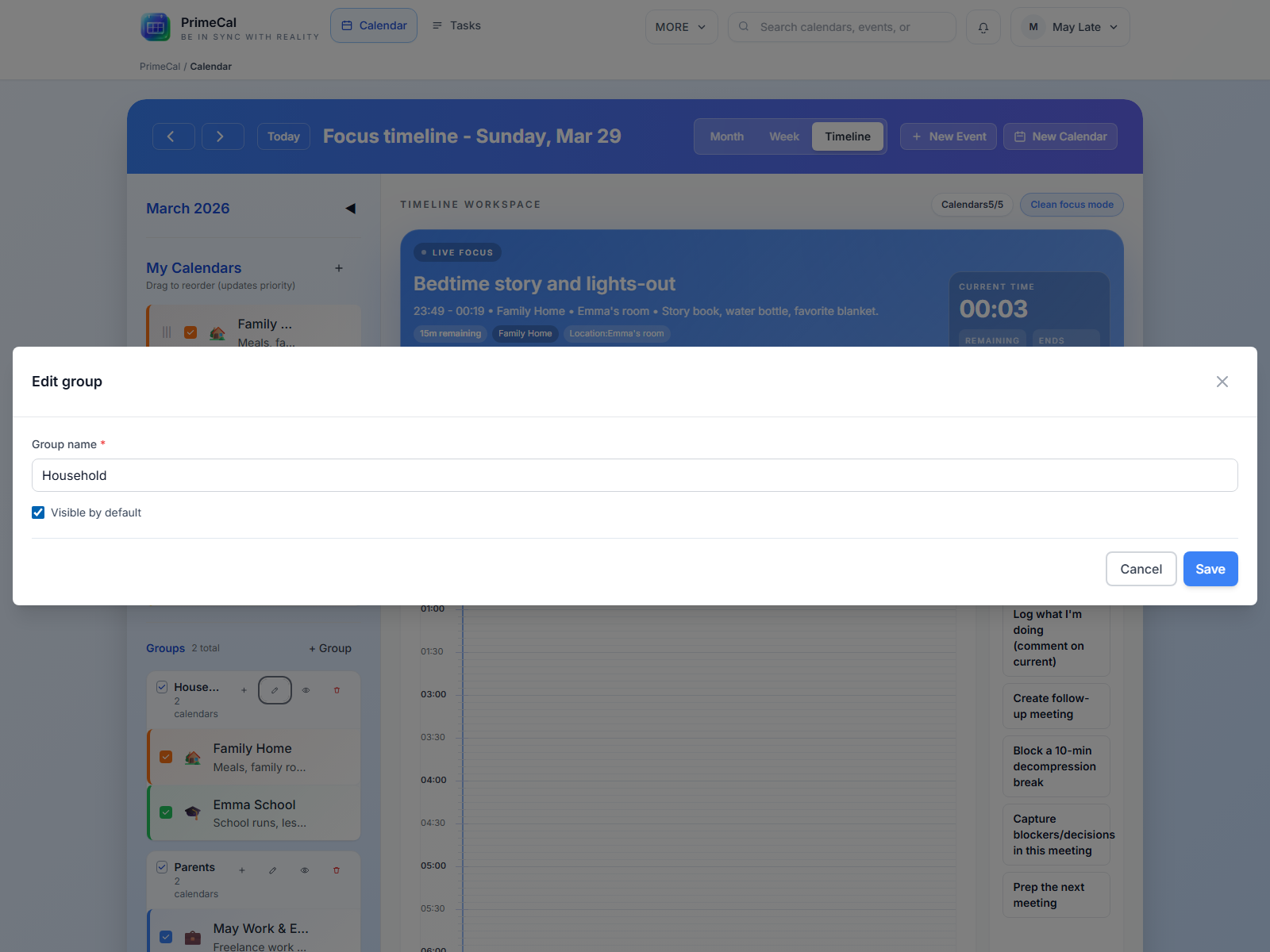
- Open the group actions.
- Choose rename.
- Save the new name.
Assign Or Unassign Calendars
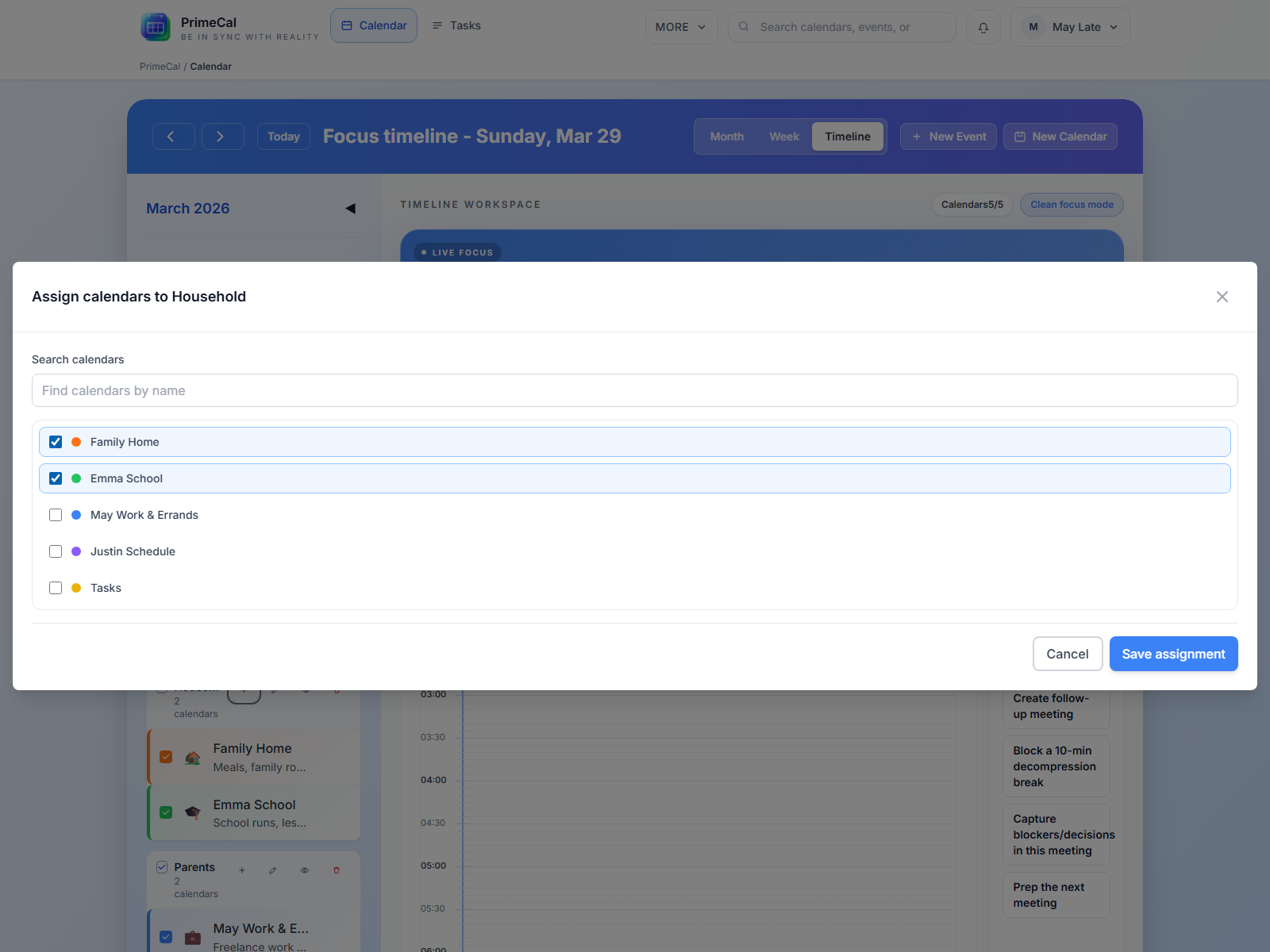
- Open the group assignment control.
- Select the calendars that should belong to the group.
- Save the changes.
Calendars can also be removed from a group later without deleting them.
Hide Or Show A Group
Use the visibility control on the group when you want to hide or reveal the whole set at once. This is the fastest way to quiet down the workspace.
Delete A Group
Deleting a group removes the container, not the calendars inside it. The calendars remain available as ungrouped calendars.
How Colors And Visibility Affect The Views
- Calendar color appears in the sidebar and becomes the default event color.
- Hidden calendars disappear from Focus, Month, and Week view.
- Group visibility affects every calendar inside that group until you show it again.
- Event-level colors can still override the calendar color for a specific event.
Best Practices
- Create one or two real calendars before you build lots of events.
- Use groups only when they help scanning. One group per real-world area is usually enough.
- Pick colors that are visually distinct at a glance.
- Keep the default
Taskscalendar for tasks. Use regular calendars for appointments, school, travel, and family planning.
Developer Reference
If you are implementing calendar or group management, use the Calendar API.