Triggers And Conditions
Logic Layer
Choose the Right Trigger and Filter
PrimeCal automation rules start with a trigger, then optionally narrow the event with conditions. The trigger list includes event lifecycle, calendar import, scheduled, webhook, and relative-time options.
Supported Triggers
Event CreatedEvent UpdatedEvent DeletedEvent Starts InEvent Ends InRelative Time To EventCalendar ImportedScheduled TimeIncoming Webhook
Two additional trigger types exist on the backend but aren't in this picker yet: task.status_changed (fires when a task's status changes) and task.scheduled_start (fires when a task reaches its scheduled start time — used by routine tasks that drive smart-home devices). Until they're added to the builder UI, rules using them are created directly through the Automation API. See Smart-Home Automation for a worked example.
Relative Time To Event
This trigger is the most structured option in the editor. It supports:
- Event filters by calendar, title, description, tags, all-day flag, and recurring flag.
- A reference time based on the event start or end.
- A relative offset with direction, numeric value, and unit.
- Execution controls such as run once per event and past-due handling.
Condition Fields
The condition builder can inspect these values:
- Event title
- Event description
- Event location
- Event notes
- Event duration
- Event status
- Event all-day flag
- Event color
- Event calendar ID
- Event calendar name
- Webhook data
Operators
Supported comparison logic includes:
- equals and does not equal
- contains and does not contain
- starts with and ends with
- greater than and less than
- greater than or equal and less than or equal
- is empty and is not empty
- is true and is false
- is in list
- matches and does not match
Condition Logic
- The root logic can be
ANDorOR. - Each condition row can also carry its own logic operator.
- The editor allows up to 10 conditions.
Live Builder Example
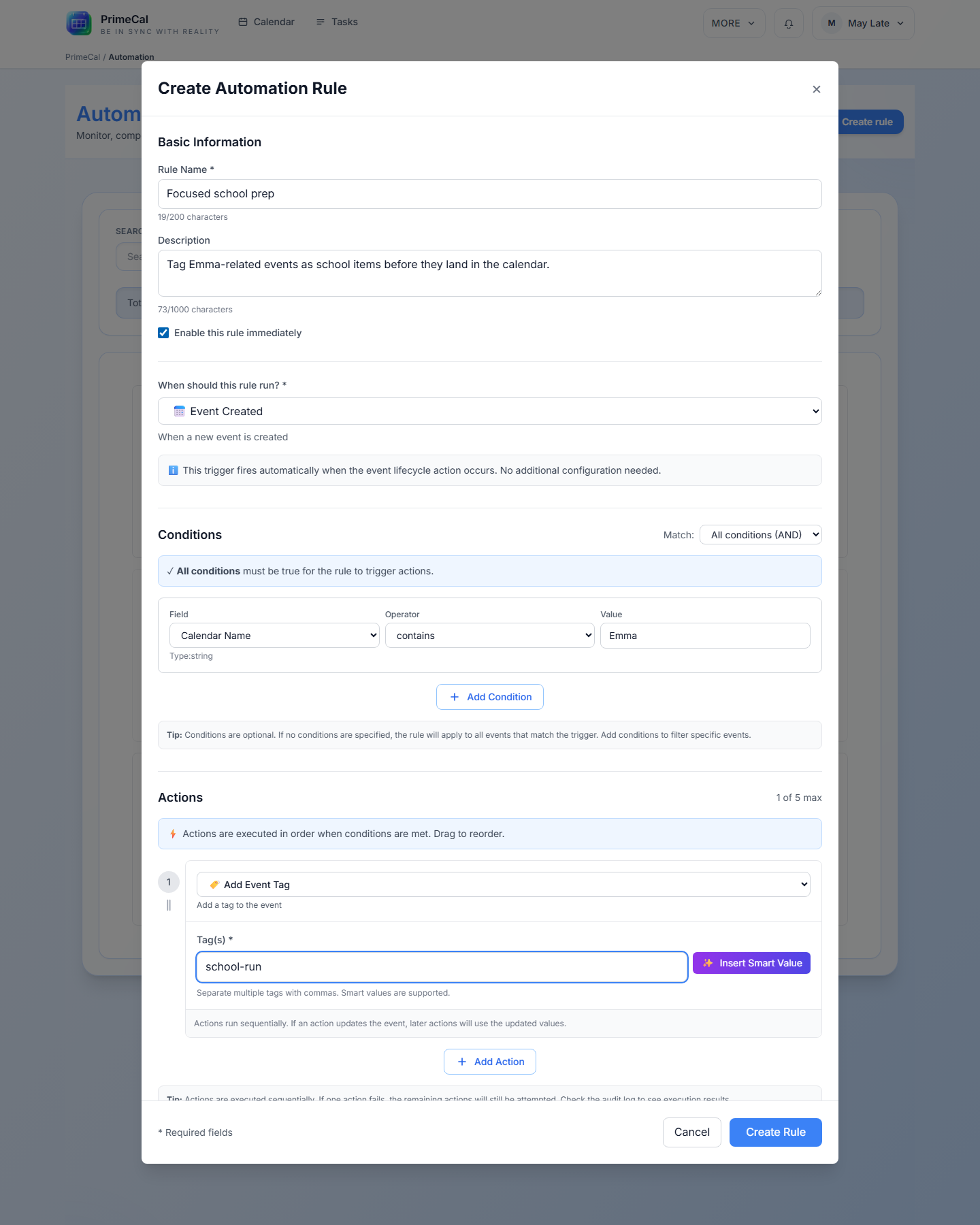
Filtering Tips
- Use
containsfor titles and descriptions that can vary slightly. - Use
is emptyandis not emptyfor presence checks. - Use
in listwhen you want a rule to match any value in a set. - Use
webhook.datawhen the rule is driven by an external JSON payload.