Actions Overview
Action Layer
What a Rule Can Do
Actions are the result of a matched trigger. PrimeCal lets you update event content, move events, create tasks, send notifications, and call external webhooks from the same rule.
Supported Actions
Content
Update event title
Rewrite the event title after a trigger matches.
Content
Update event description
Replace or enrich the description field for the event.
Calendar
Move to calendar
Shift the event into another calendar you can access.
Visual
Set event color
Recolor the event to make downstream rules easier to read.
Labels
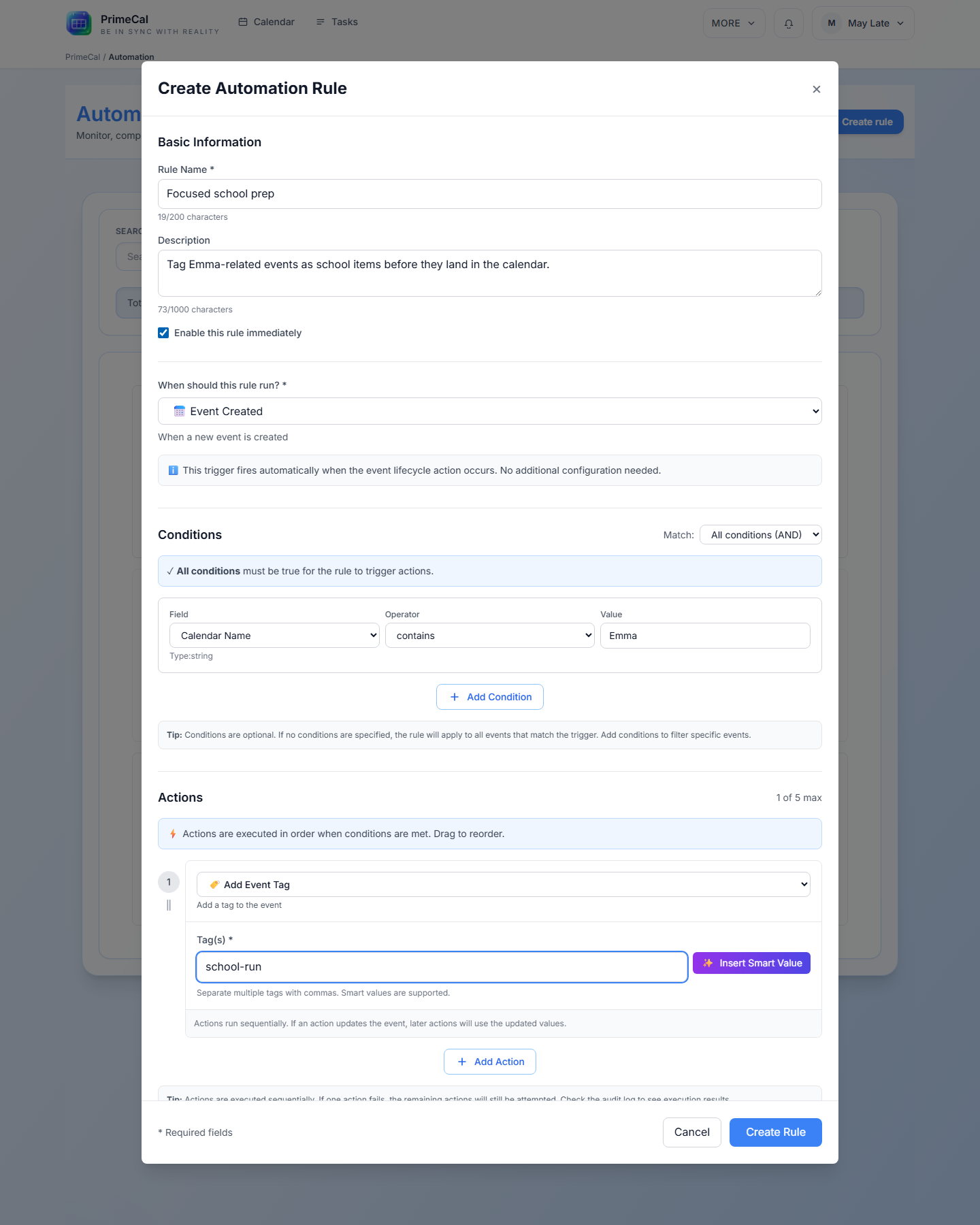
Add event tag
Add a reusable label to the event for filtering and follow-up rules.
Automation
Send notification
Notify users after the rule executes.
Tasks
Create task
Generate a follow-up task from the matched event.
Integration
Call webhook
Send the rule outcome to an external service — now with a configurable HTTP method and auth, so it can also drive a smart-home device's REST API.
Guardrail
Cancel event
Mark the event as cancelled when the rule needs to stop it.
Routines
Instantiate routine
Start a routine template on demand from any trigger — e.g. a webhook from a smart alarm clock starting Morning Routine. Configured via the Automation API today; see Smart-Home Automation.
Action Limits
- You can save up to 5 actions in a single rule.
- At least one action is required.
- The editor rejects unsupported actions that are still marked as coming soon.
Live Action Builder Example
When To Use Which Action
- Use
Set Event Colorwhen you want a rule to visually mark an event. - Use
Move to Calendarwhen an event should land in a different calendar. - Use
Create Taskwhen the rule should create a follow-up item for the user. - Use
Call Webhookwhen the rule must notify an external system.
See Also
- Creating Automation Rules
- Triggers And Conditions
- Smart-Home Automation — configuring the webhook action's method/auth and the routine-instantiating action