Paid Bookings
Paid bookings let an organisation charge for a service before PrimeCal confirms the reservation. The pricing rules live on the resource type, while the ability to actually collect payment depends on the organisation billing state.
Time to complete: 10-15 minutes
Difficulty: Intermediate
Overview
PrimeCal separates pricing from payment execution:
- Resource type decides whether pricing is visible and whether payment is required.
- Organisation billing decides whether Stripe Checkout can run at all.
- Reservation status decides whether the booking is already confirmed or still waiting for payment.
This keeps payment logic tenant-safe and prevents clients from inventing their own amount or currency.
Before You Enable Paid Services
Confirm all of the following:
- The correct organisation is active.
- Stripe is connected and usable on the Billing screen.
- The organisation default currency is correct.
- The resource type has real pricing data:
pricingEnabledpriceAmountpriceCurrencypaymentRequired
Enable A Paid Booking Type
- Open the reservations workspace for the active organisation.
- Go to the Resource types tab.
- Create or edit the target resource type.
- Turn on Pricing enabled.
- Enter the amount in minor units:
2500means25.009900means99.00
- Confirm the currency.
- Turn on Require payment before confirmation if the reservation must wait for Stripe success.
- Save the resource type.
When Stripe is connected, the form shows a positive readiness message. When Stripe is unavailable, the form warns the admin before they rely on payment-required confirmation.
Translation Checks For Paid Services
Use these label pairs as a quick QA list when you validate the pricing editor and public booking page:
| English | Hungarian |
|---|---|
Pricing enabled | Árazás engedélyezve |
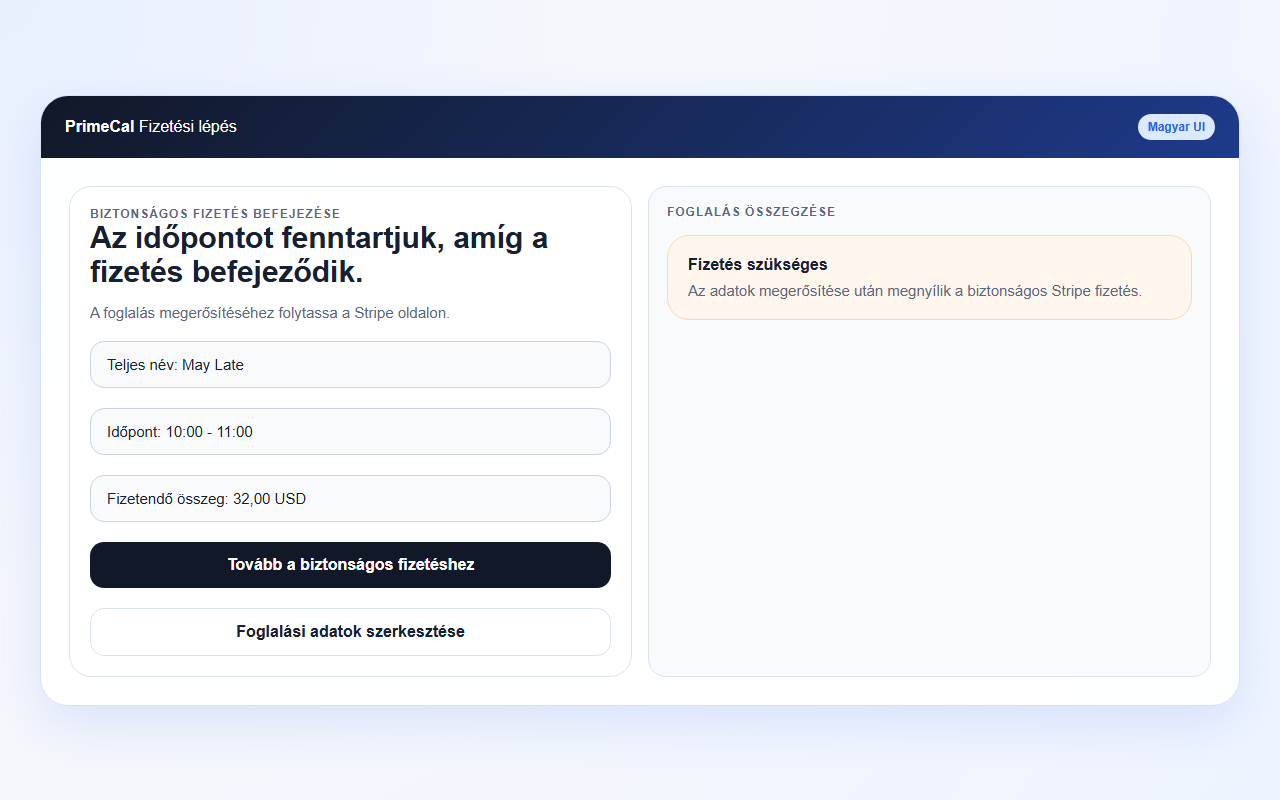
Payment required | Fizetés szükséges |
Continue to payment | Tovább a fizetéshez |
Complete secure payment | Biztonságos fizetés befejezése |
Payment unavailable | A fizetés nem érhető el |
What Happens At Booking Time
Free or optional-payment service
- PrimeCal creates the reservation immediately.
- The reservation can move straight to
confirmed. - No Stripe Checkout step is required.
Payment-required service with Stripe available
- PrimeCal checks the resource type pricing.
- PrimeCal derives the quote server-side from:
- resource type price
- assigned resource count
- reservation duration
- selected currency
- PrimeCal creates the reservation in
pending_payment. - PrimeCal creates a Stripe Checkout session on the organisation connected account.
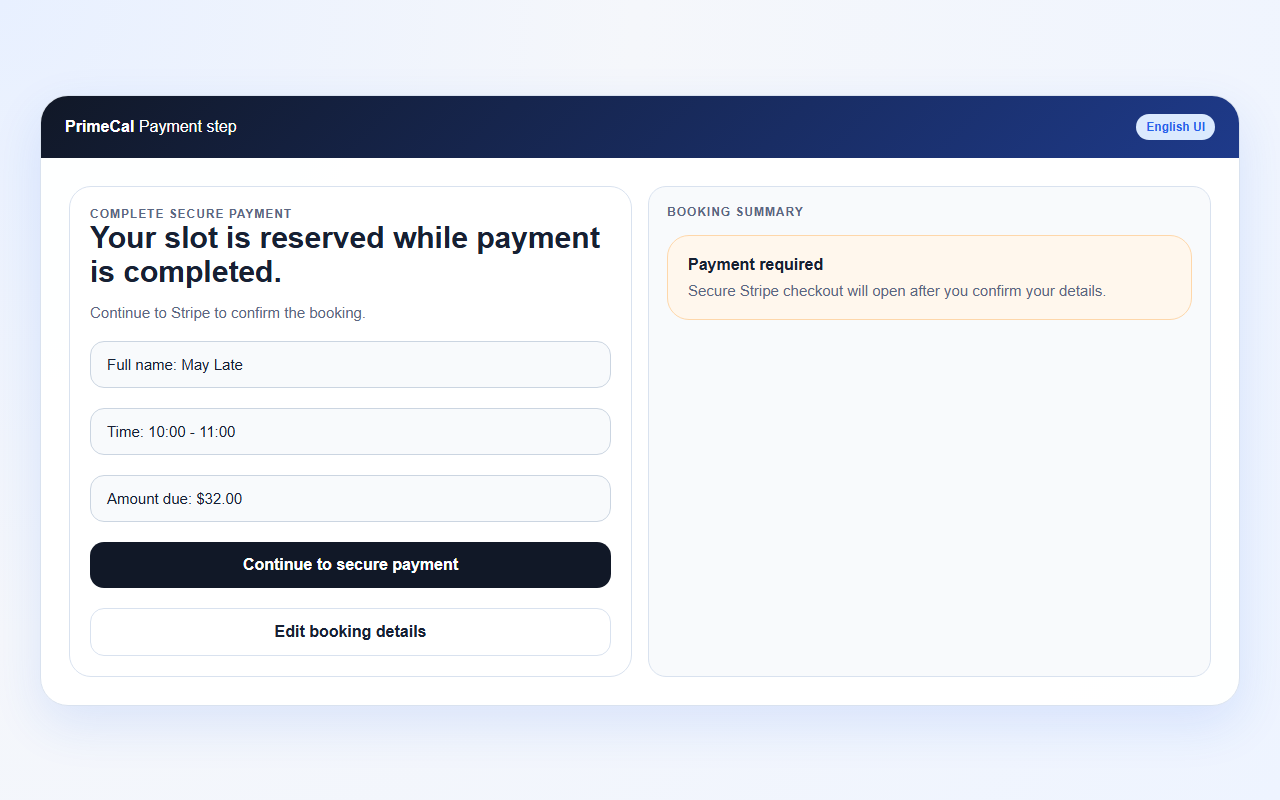
- The customer sees a payment step in PrimeCal, then continues to Stripe.
- Stripe redirects the customer back to PrimeCal.
- PrimeCal waits for the Stripe webhook to mark the reservation
confirmed.
After confirmation, PrimeCal can also resolve or create a customer account from the payment details so the confirmation page can offer a safe calendar action and later booking forms can prefill known customer details.
Payment-required service without Stripe available
- PrimeCal should not offer a working payment-required booking flow.
- The public booking page shows a clear warning and disables checkout-driven confirmation.
- The backend still refuses the flow so the client cannot bypass the billing requirement.
Customer Experience
The public booking flow for payment-required services is:
- choose service and resource
- choose slot
- enter details
- review the payment step
- continue to Stripe Checkout
- return to PrimeCal
- see booking confirmation after payment succeeds
If the customer closes Checkout or payment fails, PrimeCal can keep the
reservation in a retryable pending_payment state instead of pretending it was
confirmed.
For the detailed post-payment experience, including auto-created customers, password-setup guidance, and the confirmation-page buttons, see What Happens After I Pay For A Reservation?.
Security and Compliance
- Price and currency come from the server, never from browser-calculated values alone.
- PrimeCal stores quote snapshots and Stripe identifiers, not raw card data.
- Payment-required confirmation depends on webhook truth, not the browser redirect alone.
- Organisation billing state is isolated per organisation, so one tenant cannot charge through another tenant's Stripe account.
Troubleshooting
The booking type is marked paid, but the booking page says payment is unavailable
Review the organisation billing status first. A payment-required resource type cannot complete the flow when the Stripe account is disconnected, restricted, or still missing onboarding details.
The customer paid, but the booking still says pending payment
Check the Stripe webhook path and logs. PrimeCal confirms paid bookings from webhook events, so delayed webhook delivery can delay the final reservation state.
The price on the public page is wrong
Update the resource type. Public booking price labels and stored quote values come from the resource-type pricing fields, not from per-customer overrides.
What the Payment Step Looks Like
The booking summary and continue-to-payment action, before Stripe opens: