What Happens After I Pay For A Reservation?
When a service requires payment, PrimeCal does more than show a simple success message. It confirms the reservation, connects it to the right customer record, and gives you a safe next step so you can either open your calendar view or start a new booking with your details already filled in.
Time to complete: 3-5 minutes
Difficulty: Beginner
Quick Answer
After Stripe reports a successful payment:
- PrimeCal confirms the reservation.
- PrimeCal checks whether your payment email already belongs to an existing PrimeCal user.
- PrimeCal either links the reservation to that user or creates a customer account automatically.
- PrimeCal keeps your safe contact details ready for future bookings.
- The confirmation page shows:
- Go to my calendar
- Book another time
This is similar in spirit to the customer model used in Atlassian JSM: you do not need to create the account manually before booking if the organisation wants payment-first public reservations.
Existing User Vs. Auto-Created Customer
If you already have a PrimeCal account
- PrimeCal links the paid reservation to your existing account.
- PrimeCal keeps your existing profile as the source of truth.
- PrimeCal only fills safe missing data, such as a previously empty phone number.
- The confirmation page can send you directly to your calendar workspace when you are already signed in.
If you do not have a PrimeCal account yet
- PrimeCal creates a customer account from the booking data already used for the payment.
- The account uses your booking email so later reservations can recognize you.
- PrimeCal stores only safe contact information needed for booking:
- name
- phone, if provided
- PrimeCal prepares a secure first-login or password-setup flow for later onboarding.
PrimeCal does not create or store a plain-text password during payment.
What The Confirmation Page Shows
After payment succeeds, the confirmation page now has two actions:
- Go to my calendar: the primary action. Use this when PrimeCal can open the calendar view that matches your reservation context.
- Book another time: the secondary action. Use this when you want to return to the public booking page and make another reservation.
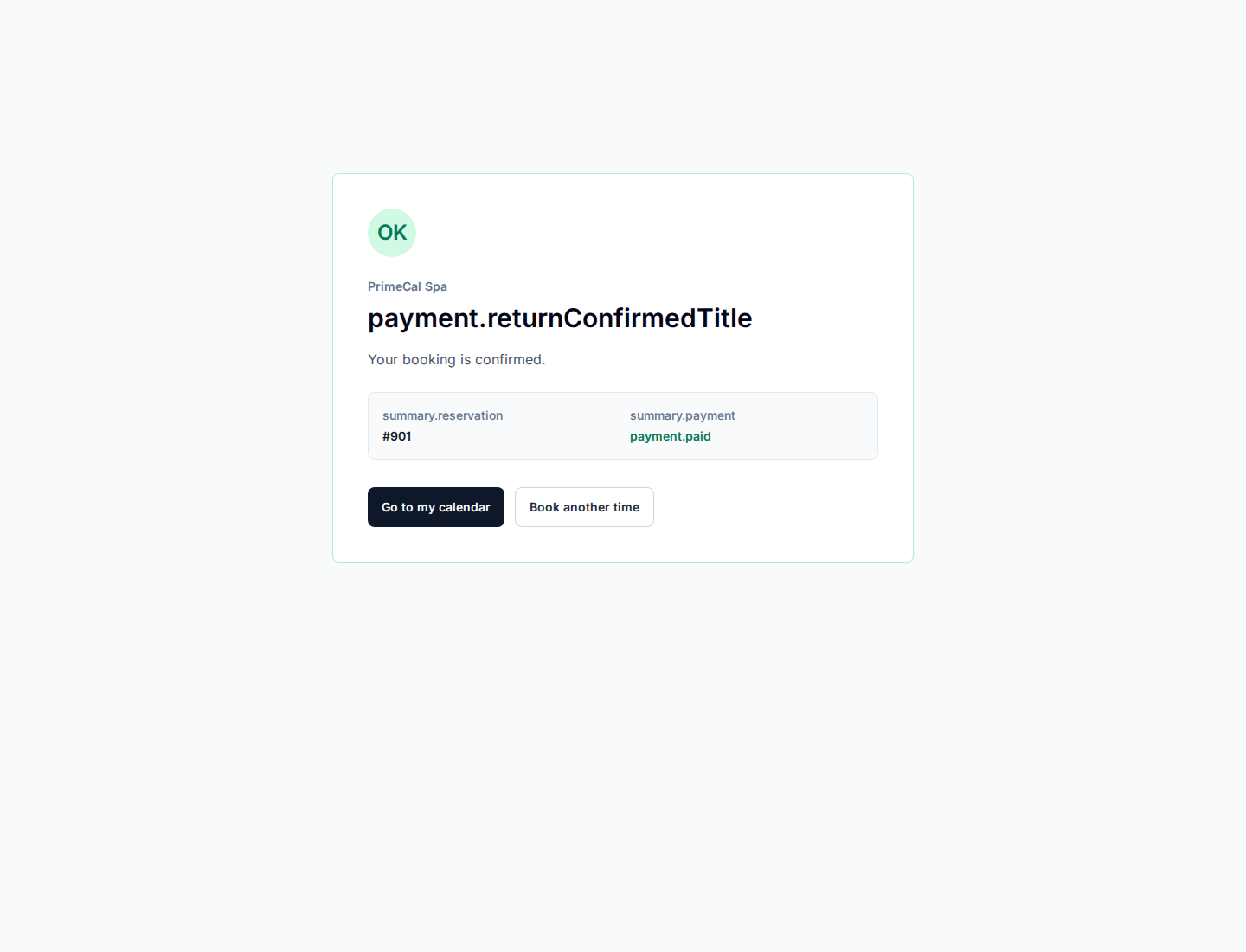
The payment confirmation page makes the safe next step obvious: open the calendar view when available, or start another booking from the same page.
If the calendar button is unavailable
In some setups, PrimeCal can confirm the reservation but does not yet have a customer-facing calendar destination for that exact booking flow. In that case:
- the page keeps the Book another time option available
- PrimeCal does not show an unsafe or broken calendar target
- your booking data can still be reused for future forms
Opening The Calendar After Payment
When PrimeCal has a safe calendar destination, the confirmation page can open your calendar view directly after payment.
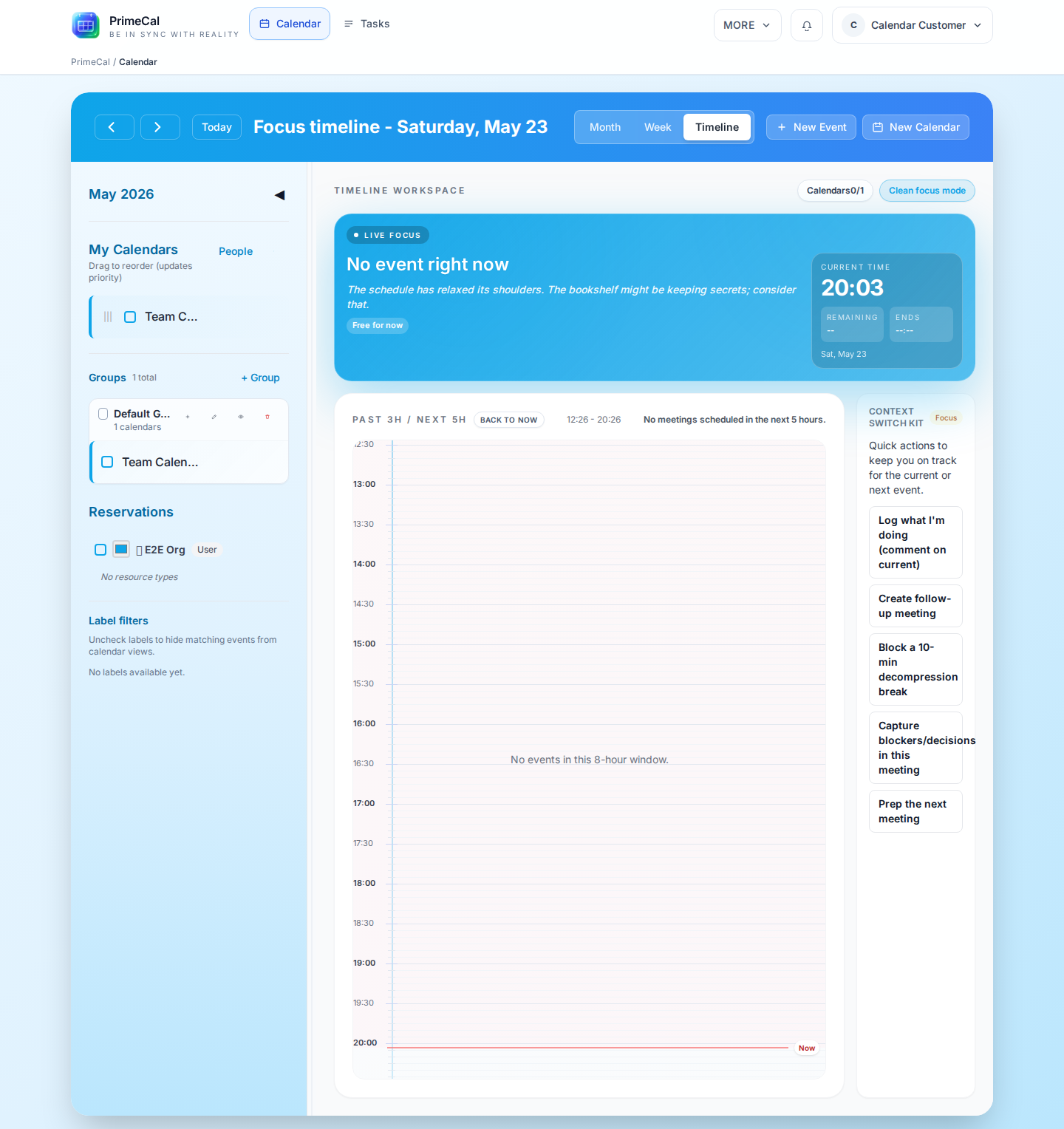
For signed-in customers, PrimeCal can open the calendar workspace directly after payment confirmation instead of forcing a manual search for the reservation.
How The First Password Setup Works
For auto-created customer accounts, PrimeCal prepares a secure password-setup token after payment. Your organisation can then deliver that token through:
- a built-in onboarding email
- a custom notification template
- another trusted onboarding message that links you to the password-setup flow
The important points are:
- the link is time-limited
- the token is stored safely on the server
- PrimeCal never stores a plain-text password for the customer
If your organisation has not enabled the onboarding email yet, you may still be able to continue booking as a recognized customer before you complete full sign-in.
Booking Again With Prefilled Details
PrimeCal keeps your safe booking details ready for later reservations. When you open the public booking page again, the form can prefill:
- full name
- phone
You can still change any of these values before submitting the next booking.
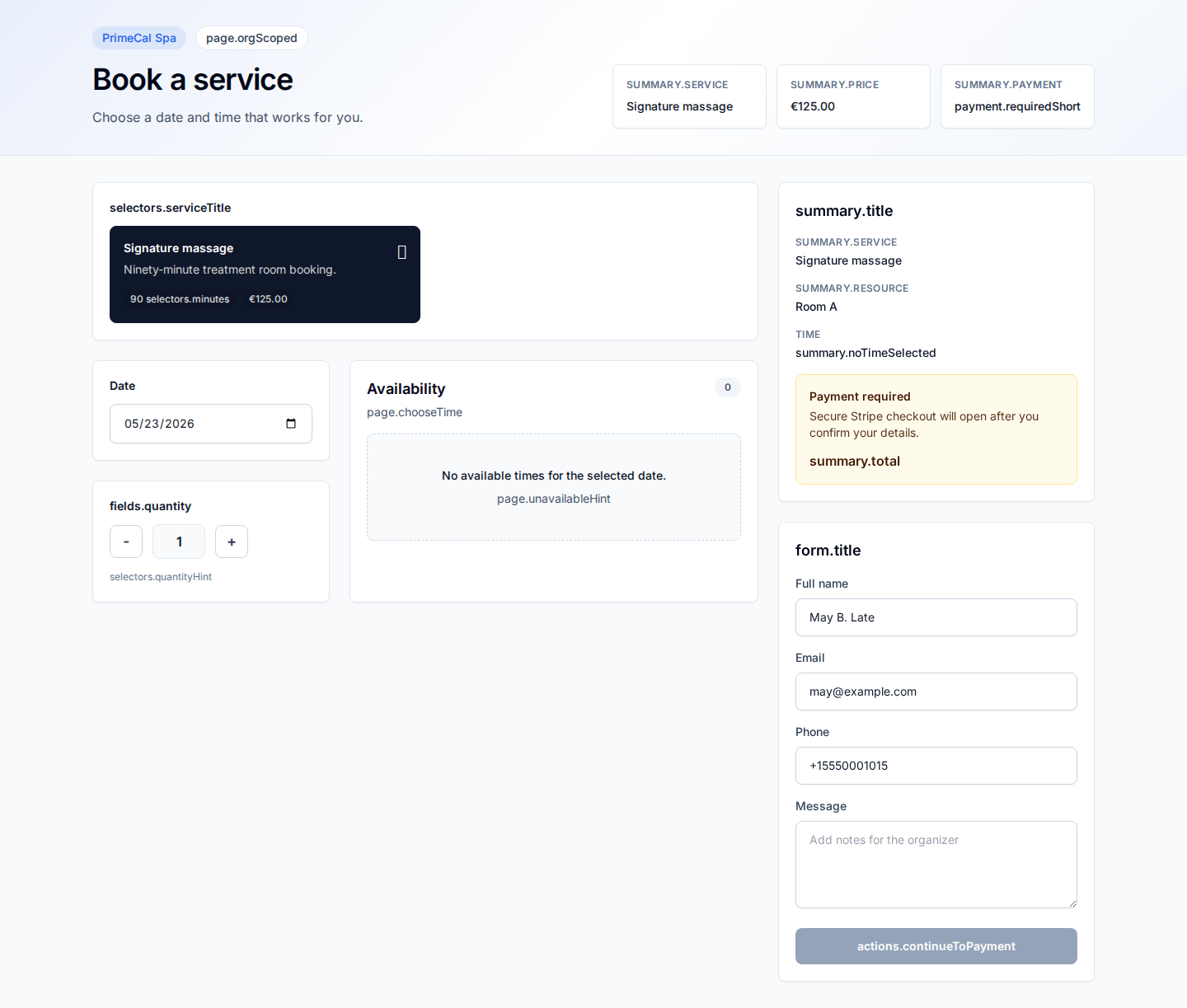
Known customer details can prefill the next booking form, but the customer can still edit every field before submitting.
Security And Privacy Notes
- PrimeCal does not store raw card numbers.
- PrimeCal does not expose payment-provider secrets in the confirmation page.
- PrimeCal stores only the contact details needed to support booking and customer follow-up.
- Payment confirmation still depends on webhook confirmation from Stripe, not only on the browser redirect.
Troubleshooting
I paid, but I do not see my calendar
First refresh the confirmation page once. If the payment is still processing, PrimeCal may still be waiting for webhook confirmation.
If the payment is already confirmed but the calendar action is unavailable, use Book another time and contact the organisation if you expected direct calendar access.
I booked once, but the new form is not prefilled
This usually means one of the following:
- the booking email did not match a saved customer record
- the browser session was cleared
- the organisation disabled or changed the public booking route
I never received a password-setup email
Ask the organisation whether onboarding emails are enabled for auto-created customers. PrimeCal can prepare the secure token even when the email delivery is handled by a custom notification workflow.