Managing Bookings
Use this page when you need to explain what customers can do after they pick a slot, especially when payment or meeting links are part of the workflow.
Time to complete: 5-10 minutes
Difficulty: Intermediate
Booking States Customers Actually See
PrimeCal aims to keep the customer journey explicit:
- Free booking
- the reservation can confirm immediately
- Optional payment
- pricing is shown, but the booking does not have to wait for checkout
- Payment required
- the reservation stays in a payment-pending state until Stripe confirms it
This matters because customers should never confuse a reserved slot with a fully confirmed paid booking.
What The Customer Can Do
Before payment
On the public page the customer can:
- choose another slot
- edit their booking details
- continue to secure payment when the service requires Stripe
After an optional-payment booking succeeds
PrimeCal now keeps the success message inside the booking flow, directly under the configuration area.
If the service is priced but payment is optional, the customer sees:
- a confirmed booking state
- the reservation reference and slot summary
- a
Pay nowaction that starts the secure checkout later
This is important because the booking remains valid even if the customer never uses the optional payment action.
After a successful payment
The confirmation page can show:
Go to my calendarBook another time
After a canceled or failed payment
PrimeCal keeps the booking in a retryable state when possible instead of pretending the reservation is confirmed.
That means the customer can come back and continue from a translated pending payment step rather than starting the whole process again.
Meeting Links After Confirmation
If the booked service or related calendar event contains a supported online meeting link, PrimeCal can surface a localized join action in calendar views.
Examples:
Join meetingin EnglishCsatlakozásin Hungarian
PrimeCal does not derive this on every page read. The meeting URL is persisted earlier during event ingestion or sync, then exposed where the user already has permission to see the event details.
English And Hungarian Customer Copy
| Situation | English | Hungarian |
|---|---|---|
| Retry banner | Checkout canceled | A fizetés megszakítva |
| Payment step title | Complete secure payment | Biztonságos fizetés befejezése |
| Success title | Booking confirmed | Foglalás megerősítve |
| New booking action | Book another time | Másik időpont foglalása |
Screenshot References
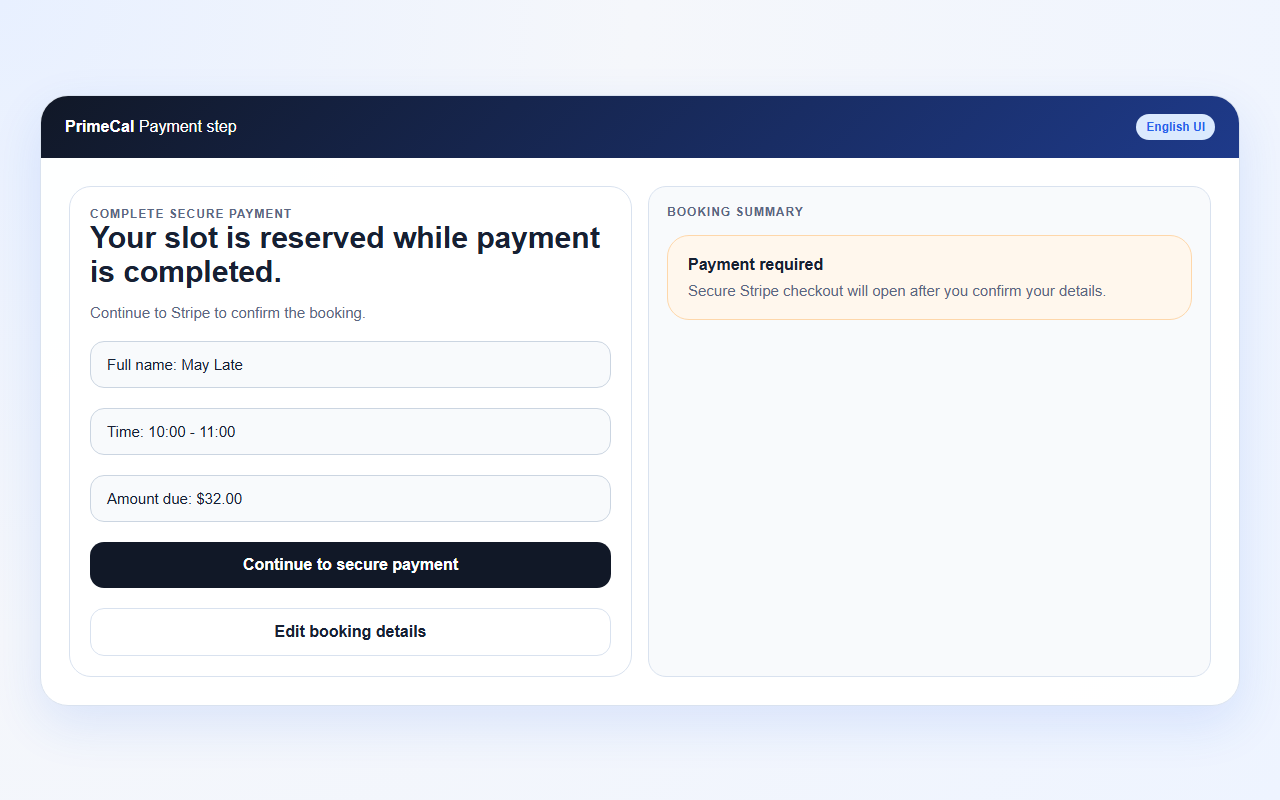
The payment step should clearly show the reserved slot, customer details, and the next action into Stripe.
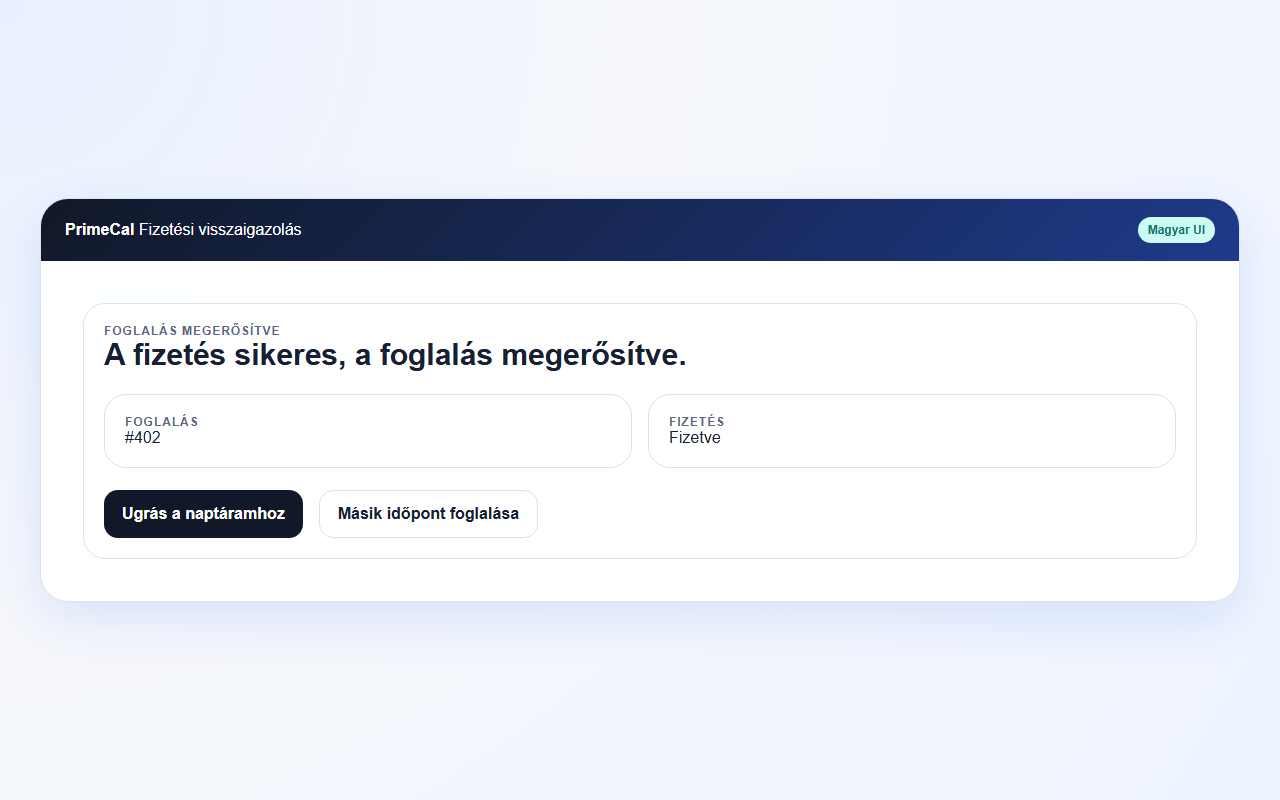
Use the Hungarian locale to verify that the confirmation title, helper copy, and buttons stay readable with longer strings.
Layout Notes For Support Teams
When you review a public booking page with a customer, expect these behaviors:
- the language selector sits in the same header row as the organisation name
- the
Choose servicecard is hidden automatically when the page exposes only one bookable service - the
Booking summaryarea is visually emphasized to help customers catch mistakes before they submit
Troubleshooting
I paid, but the page still says confirmation is in progress
PrimeCal waits for the Stripe-side confirmation path. Refresh after a moment if the webhook result has not reached the booking status yet.
I can see the booking, but not a join button
The event may not have a supported meeting URL yet, or the current user may not have permission to see the underlying event details.
The page shows an old pending-payment step
PrimeCal stores the pending payment hand-off in session storage so the customer can resume safely. Starting a fresh booking clears that state.